> ## Documentation Index
> Fetch the complete documentation index at: https://cal.id/docs/llms.txt
> Use this file to discover all available pages before exploring further.
# Reassigning a Team Booking
> Hand an existing round-robin booking in Cal ID to another qualified teammate, automatically or by name, without cancelling the meeting.
When the host assigned to a round-robin meeting can no longer take it, you can move the booking to another member of the same event without cancelling and rebooking. The time stays fixed; only the host changes.
This page covers reassigning a booking that already exists. To set up the rotation itself, see [Round-robin events](/docs/teams/round-robin).
## Before you start
* The booking has to belong to a **round-robin** team event, where meetings are shared automatically among available members.
* The teammate taking over must already be an assigned host on that event type.
* The meeting time does not move during a reassignment. If the time also needs to change, [reschedule the booking](/docs/bookings/cancel-reschedule) after the handoff.
## Open the reassign dialog
Click **Bookings** in the left sidebar.
Locate the meeting under **Bookings → Upcoming**.
Click the **three dots (…)** at the right of the booking row.
Choose **Reassign** from the menu to open the **Reassign round robin host** dialog.
## Choose how to reassign
The dialog offers two methods.
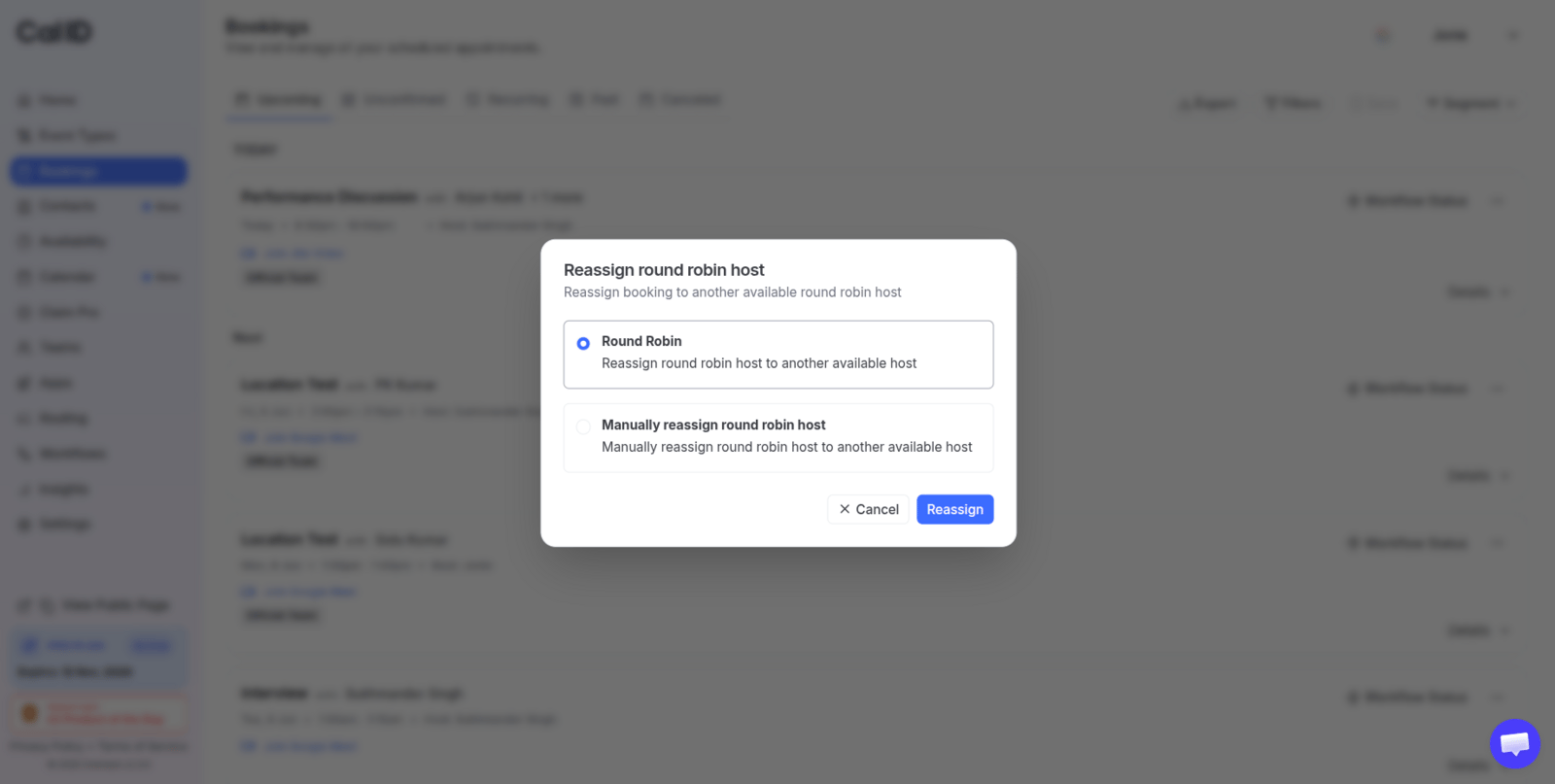 | Method | What Cal ID does | Use it when |
| -------------------------------------- | ---------------------------------------------------------------------------------------------------------------------------------------------------- | ------------------------------------------------------------------- |
| **Round Robin** | Scans the remaining assigned members' calendars for that slot and passes the meeting to the next available person, following your round-robin rules. | Any qualified teammate will do and you want the rotation respected. |
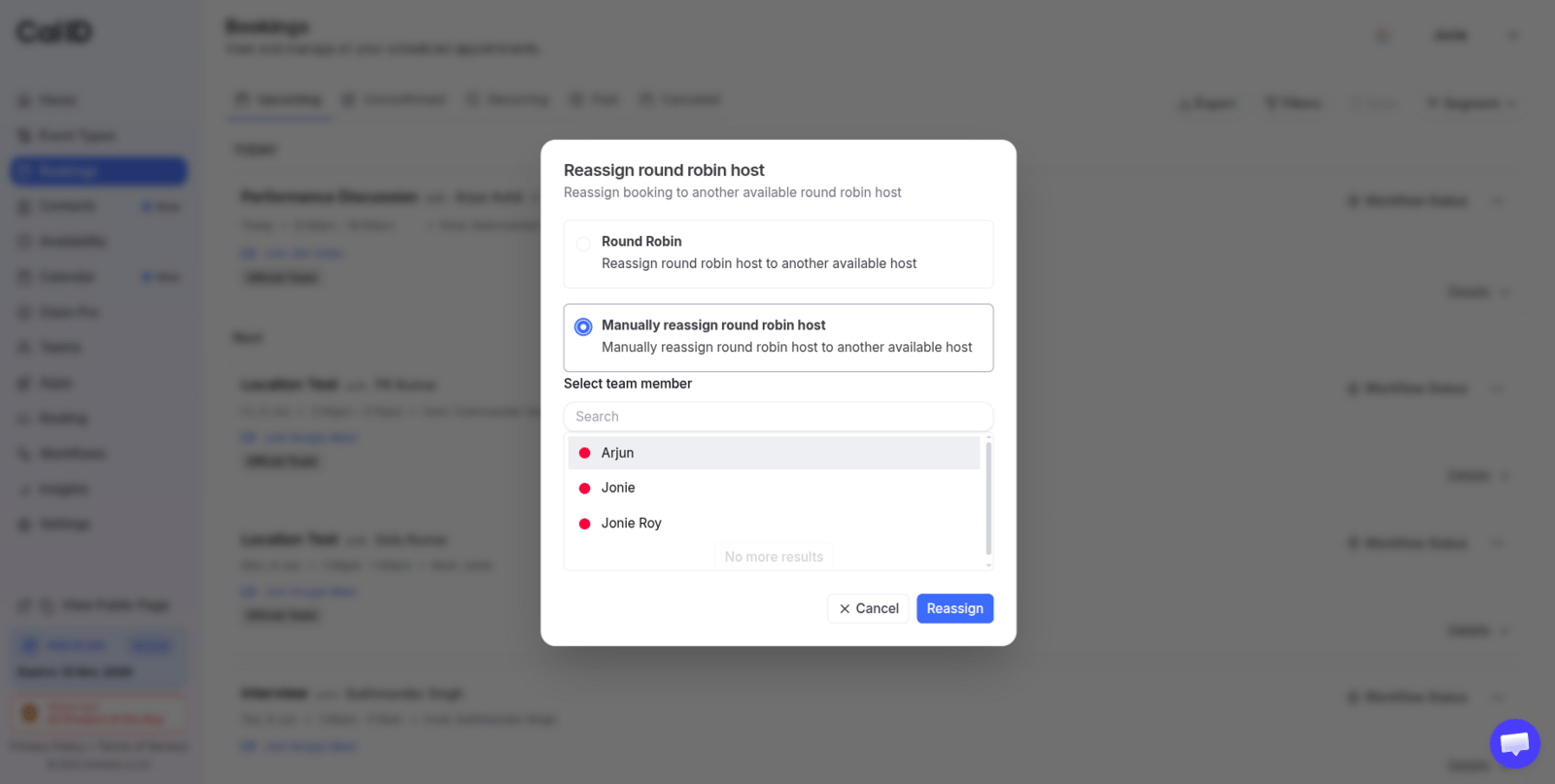
| **Manually reassign round robin host** | Opens a **Select team member** search so you choose the person yourself. | A specific colleague owns the relationship or has the context. |
### Automatic redistribution
Select **Round Robin**. Cal ID checks who among the event's other assigned hosts is free at that time and moves the booking to them.
### Manual reassignment
Select **Manually reassign round robin host**, then use the **Select team member** search to pick the teammate who will take over.
| Method | What Cal ID does | Use it when |
| -------------------------------------- | ---------------------------------------------------------------------------------------------------------------------------------------------------- | ------------------------------------------------------------------- |
| **Round Robin** | Scans the remaining assigned members' calendars for that slot and passes the meeting to the next available person, following your round-robin rules. | Any qualified teammate will do and you want the rotation respected. |
| **Manually reassign round robin host** | Opens a **Select team member** search so you choose the person yourself. | A specific colleague owns the relationship or has the context. |
### Automatic redistribution
Select **Round Robin**. Cal ID checks who among the event's other assigned hosts is free at that time and moves the booking to them.
### Manual reassignment
Select **Manually reassign round robin host**, then use the **Select team member** search to pick the teammate who will take over.
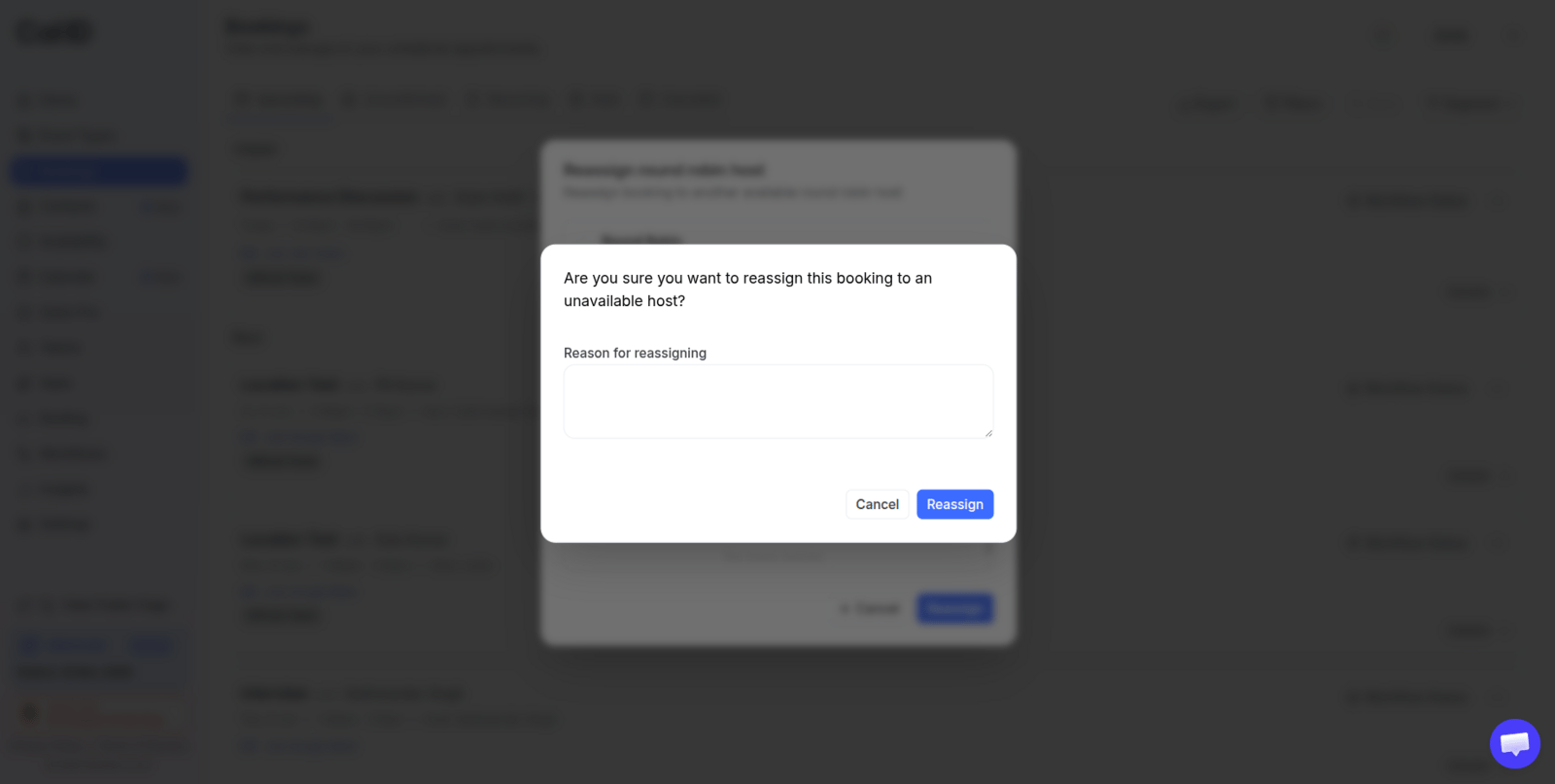
 You can also add a reason for the reassignment, which travels with the notifications Cal ID sends.
 ## Complete the handoff
Click the blue **Reassign** button. Cal ID sends the updates straight away:
* The **previous host** is told the slot has been removed from their calendar.
* The **new host** receives the meeting notes, links, and details.
* The **attendee's** calendar updates on its own — no rebooking on their side.
If no other assigned host is free at that time, automatic redistribution has nobody to hand the meeting to. Reassign manually to a specific teammate, or reschedule the booking to a slot that works.
## Related team booking tasks
Set up the rotation, assign hosts, and control how meetings are distributed.
Move the meeting to a new time, or call it off entirely.
Check who currently hosts a booking and what the attendee received.
Review members, roles, and which event types they host.
## Related topics
- [Round-Robin Scheduling](/docs/teams/round-robin.md)
- [View Booking Details](/docs/bookings/view-details.md)
- [Canceling and Rescheduling Bookings](/docs/bookings/cancel-reschedule.md)
- [Collective Events](/docs/teams/collective.md)
- [Teams in Cal ID](/docs/teams/overview.md)
## Complete the handoff
Click the blue **Reassign** button. Cal ID sends the updates straight away:
* The **previous host** is told the slot has been removed from their calendar.
* The **new host** receives the meeting notes, links, and details.
* The **attendee's** calendar updates on its own — no rebooking on their side.
If no other assigned host is free at that time, automatic redistribution has nobody to hand the meeting to. Reassign manually to a specific teammate, or reschedule the booking to a slot that works.
## Related team booking tasks
Set up the rotation, assign hosts, and control how meetings are distributed.
Move the meeting to a new time, or call it off entirely.
Check who currently hosts a booking and what the attendee received.
Review members, roles, and which event types they host.
## Related topics
- [Round-Robin Scheduling](/docs/teams/round-robin.md)
- [View Booking Details](/docs/bookings/view-details.md)
- [Canceling and Rescheduling Bookings](/docs/bookings/cancel-reschedule.md)
- [Collective Events](/docs/teams/collective.md)
- [Teams in Cal ID](/docs/teams/overview.md)