> ## Documentation Index
> Fetch the complete documentation index at: https://cal.id/docs/llms.txt
> Use this file to discover all available pages before exploring further.
# Hide Notes in Calendar
> Hide sensitive guest notes and additional booking inputs from Cal ID calendar entries to protect attendee privacy from anyone with calendar access.
Keep guest notes out of your calendar entries. In **Cal ID**, the **Hide notes in calendar** feature is a privacy-focused setting that allows you to control the visibility of sensitive guest information within your calendar entries.
Toggling this option in the event type settings will hide additional inputs and notes in the calendar entry. They will still be sent in your email confirmation.
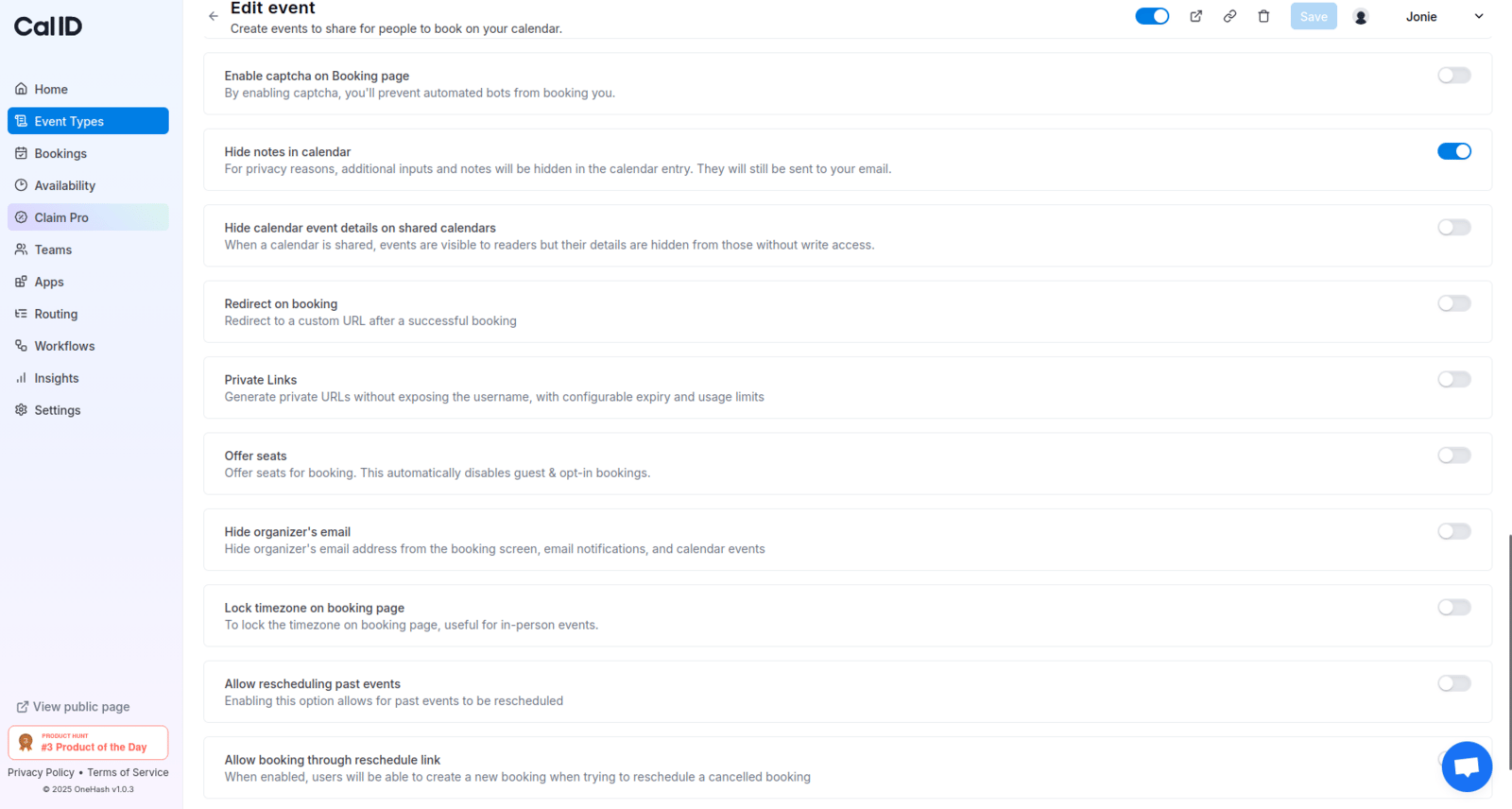 Most of the entries in notes and additional inputs contain personal information, and if you have a team or shared calendar, for example, you can protect your attendee's privacy by hiding all this info.
## Related topics
- [Hide Calendar Event details on Shared Calendars](/docs/event-types/advanced/hide-calendar-details.md)
- [Hide Organizer's Email](/docs/event-types/advanced/hide-organizer-email.md)
- [How to Hide and Prefill Booking Questions?](/docs/event-types/booking-questions/hide-prefill.md)
- [Disable Rescheduling and Cancelling](/docs/event-types/advanced/disable-reschedule-cancel.md)
Most of the entries in notes and additional inputs contain personal information, and if you have a team or shared calendar, for example, you can protect your attendee's privacy by hiding all this info.
## Related topics
- [Hide Calendar Event details on Shared Calendars](/docs/event-types/advanced/hide-calendar-details.md)
- [Hide Organizer's Email](/docs/event-types/advanced/hide-organizer-email.md)
- [How to Hide and Prefill Booking Questions?](/docs/event-types/booking-questions/hide-prefill.md)
- [Disable Rescheduling and Cancelling](/docs/event-types/advanced/disable-reschedule-cancel.md)