> ## Documentation Index
> Fetch the complete documentation index at: https://cal.id/docs/llms.txt
> Use this file to discover all available pages before exploring further.
# Single-Use or Time-Based Private Links
> Generate unique, restricted Cal ID booking URLs that expire after use or on a set date so you can share invites without exposing your public profile.
Share a booking invite without revealing your public profile. In **Cal ID**, the **Private Links** feature generates unique, restricted URLs that can expire after a single use or on a set date, giving your scheduling an added layer of security and exclusivity.
## Using private links for maximum privacy
Standard event types have public URLs tied to your username. Private Links let you invite attendees without sharing your direct booking page path.
## Why use private links?
* **Protect your username:** Attendees never see your main **Cal ID** username, which otherwise leads directly to all of your public booking options.
* **Single-use security:** Generate a link that regenerates or expires after each use, so an attendee cannot reuse the same URL to book your time repeatedly.
* **Control distribution:** Prevent your link from being shared around unintentionally, helping you manage incoming booking requests and keep a clean schedule.
## How to set it up
Go to **Event Types**, select your event, and click the **Advanced** tab.
Toggle the **Private Links** switch to **ON**.
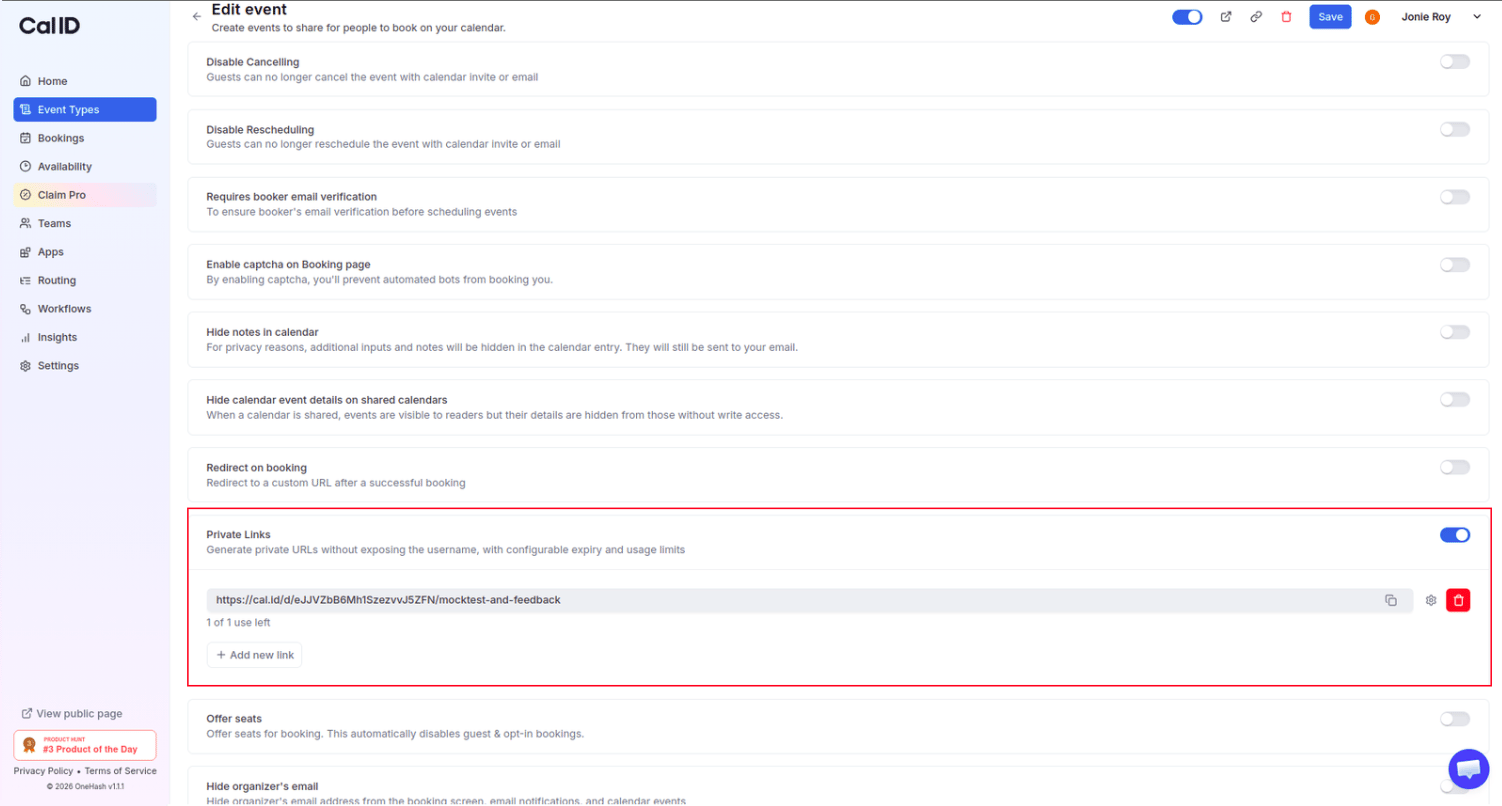 Click the **Settings (gear icon)** next to the generated link, then choose an expiration type.
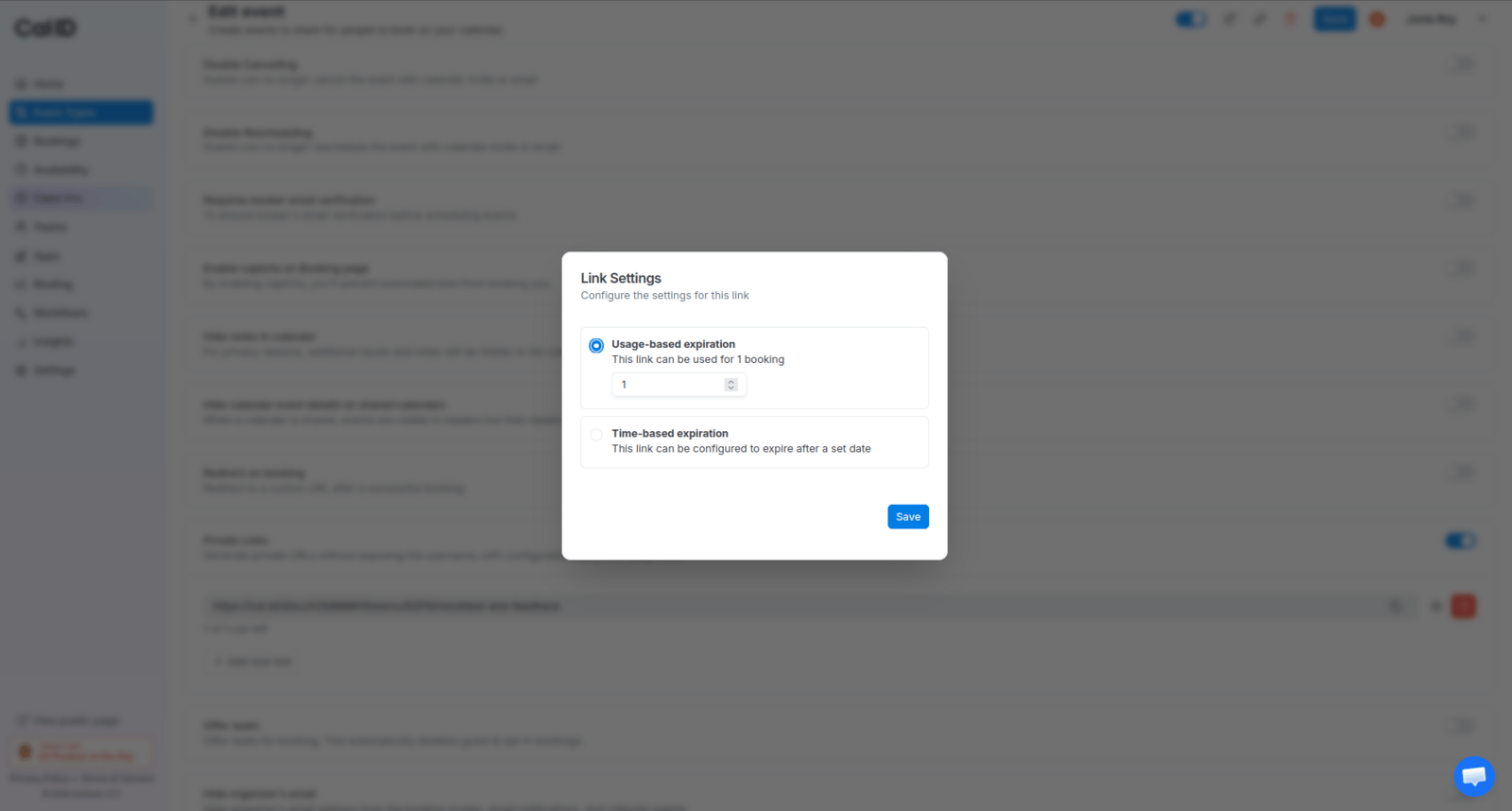
Select **Usage-based expiration** and set it to **1 booking** to ensure the link regenerates and cannot be reused.
Click the **Settings (gear icon)** next to the generated link, then choose an expiration type.
Select **Usage-based expiration** and set it to **1 booking** to ensure the link regenerates and cannot be reused.
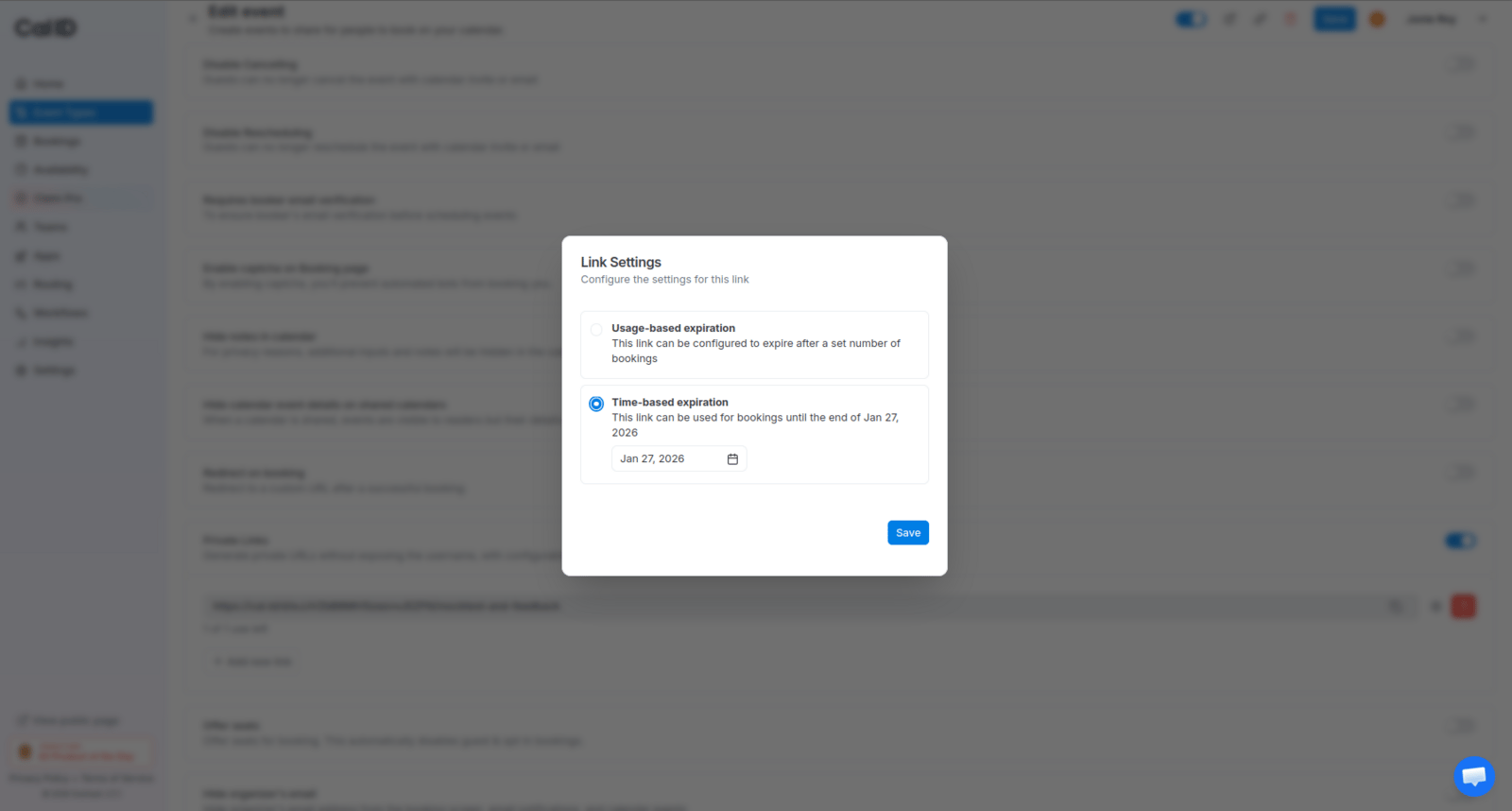
 Choose **Time-based expiration** if the link should only be active until a specific date.
 Use the **Copy** icon to grab the unique URL and share it with your attendee.
Click the **Save** button at the top right to confirm your settings.
## How it works for the attendee
* The attendee sees a clean booking page that lets them pick a time for that specific event.
* They do not see your public profile or other event types you may have.
* Once they complete the booking (if set to 1 use), the link immediately becomes invalid for any future attempts.
Private Links restrict access to a single event type. To keep an entire event hidden from your public profile, pair this with [secret events](/docs/event-types/basics/secret-events).
## Related topics
- [Secret or Private Events](/docs/event-types/basics/secret-events.md)
- [Allow Booking through Rescheduled Link](/docs/event-types/advanced/book-via-reschedule-link.md)
- [Disable Rescheduling and Cancelling](/docs/event-types/advanced/disable-reschedule-cancel.md)
- [Booking Success URL](/docs/event-types/advanced/success-url.md)
Use the **Copy** icon to grab the unique URL and share it with your attendee.
Click the **Save** button at the top right to confirm your settings.
## How it works for the attendee
* The attendee sees a clean booking page that lets them pick a time for that specific event.
* They do not see your public profile or other event types you may have.
* Once they complete the booking (if set to 1 use), the link immediately becomes invalid for any future attempts.
Private Links restrict access to a single event type. To keep an entire event hidden from your public profile, pair this with [secret events](/docs/event-types/basics/secret-events).
## Related topics
- [Secret or Private Events](/docs/event-types/basics/secret-events.md)
- [Allow Booking through Rescheduled Link](/docs/event-types/advanced/book-via-reschedule-link.md)
- [Disable Rescheduling and Cancelling](/docs/event-types/advanced/disable-reschedule-cancel.md)
- [Booking Success URL](/docs/event-types/advanced/success-url.md)