> ## Documentation Index
> Fetch the complete documentation index at: https://cal.id/docs/llms.txt
> Use this file to discover all available pages before exploring further.
# Delete the Event Type
> Permanently remove a Cal ID event type you no longer need to keep your dashboard tidy, stop new bookings, and clear it from your public booking page.
Retire a meeting link for good. In [**Cal ID**](https://cal.id/home), the **Delete** tool permanently removes an event type you no longer need, keeping your dashboard clean and ensuring no one books a retired service.
## Deleting an event type
Deleting an event type removes it from your list and immediately disables the public booking link.
### Why delete an event type?
* **Clean your workspace**: Remove old or "test" events so you can find your active links quickly.
* **Stop new bookings**: If you are no longer offering a specific service, deleting the link prevents guests from scheduling time you don't want to give.
* **Control your availability**: It ensures that old links found in previous emails or social media posts are no longer active.
## How to do it
**Login** to your [**Cal ID**](https://cal.id/home) account and navigate to the **Event Types** tab.
Find the event you want to remove from your list.
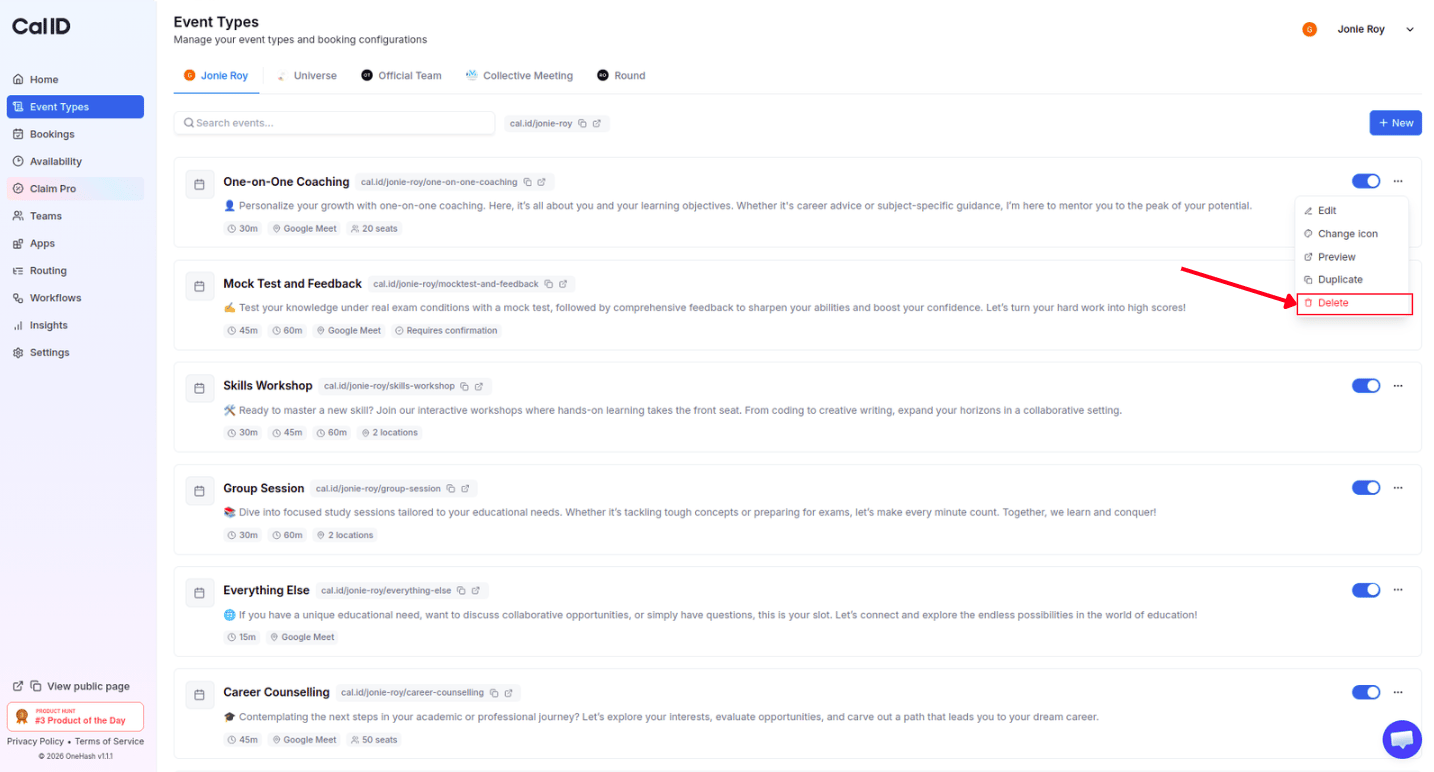
Click the **three dots (···)** located on the right side of that event.
Select **Delete** from the dropdown menu (it is highlighted in red).
 Confirm the choice in the popup box to permanently remove the event.
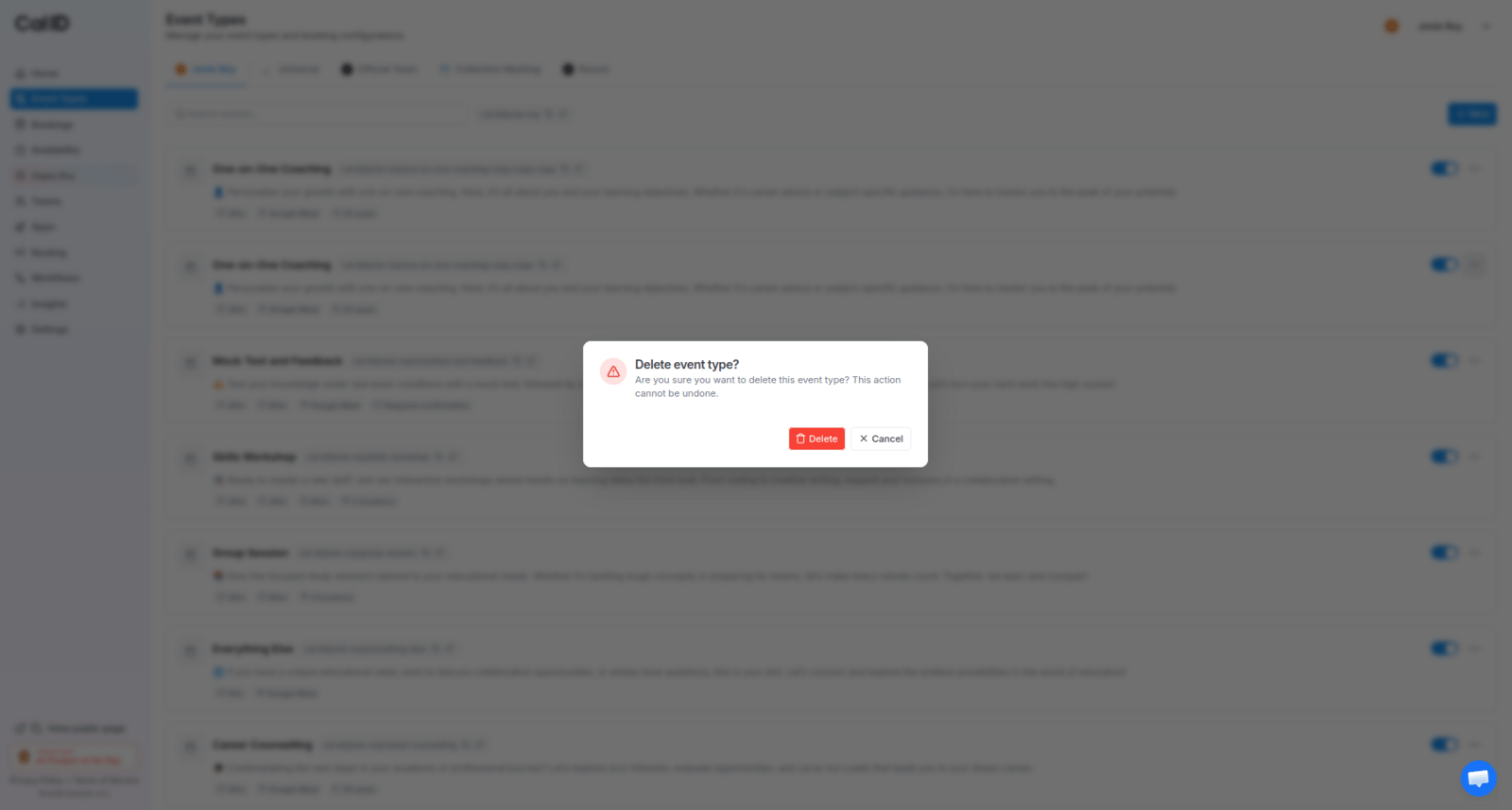 Deletion is permanent and stops new bookings. Once you delete an event type, you cannot undo it or recover its settings, and its public booking link is disabled immediately so no one can schedule that meeting type again.
Deleting an event type will **not** delete meetings that are already on your calendar — it only stops **new** people from booking that specific type of meeting.
## Related topics
- [Event Types](/docs/event-types/basics/overview.md)
- [Duplicate the Event Type](/docs/event-types/basics/duplicate.md)
- [Changing the Order of Event Types](/docs/event-types/basics/reorder.md)
- [Editing Event Type Details (Title, URL, & Language)](/docs/event-types/basics/edit-details.md)
- [Secret or Private Events](/docs/event-types/basics/secret-events.md)
Deletion is permanent and stops new bookings. Once you delete an event type, you cannot undo it or recover its settings, and its public booking link is disabled immediately so no one can schedule that meeting type again.
Deleting an event type will **not** delete meetings that are already on your calendar — it only stops **new** people from booking that specific type of meeting.
## Related topics
- [Event Types](/docs/event-types/basics/overview.md)
- [Duplicate the Event Type](/docs/event-types/basics/duplicate.md)
- [Changing the Order of Event Types](/docs/event-types/basics/reorder.md)
- [Editing Event Type Details (Title, URL, & Language)](/docs/event-types/basics/edit-details.md)
- [Secret or Private Events](/docs/event-types/basics/secret-events.md)