> ## Documentation Index
> Fetch the complete documentation index at: https://cal.id/docs/llms.txt
> Use this file to discover all available pages before exploring further.
# Secret or Private Events
> Keep specific Cal ID event types hidden from your public profile so they are only bookable by people who receive the direct link from you.
Use **Secret Events** to keep specific meeting types private and available only to people who have the direct link.
A **Secret Event** is a hidden meeting type. While your standard events appear on your public profile for anyone to see, a Secret Event is invisible until you share its specific URL with a guest.
## What is a secret event?
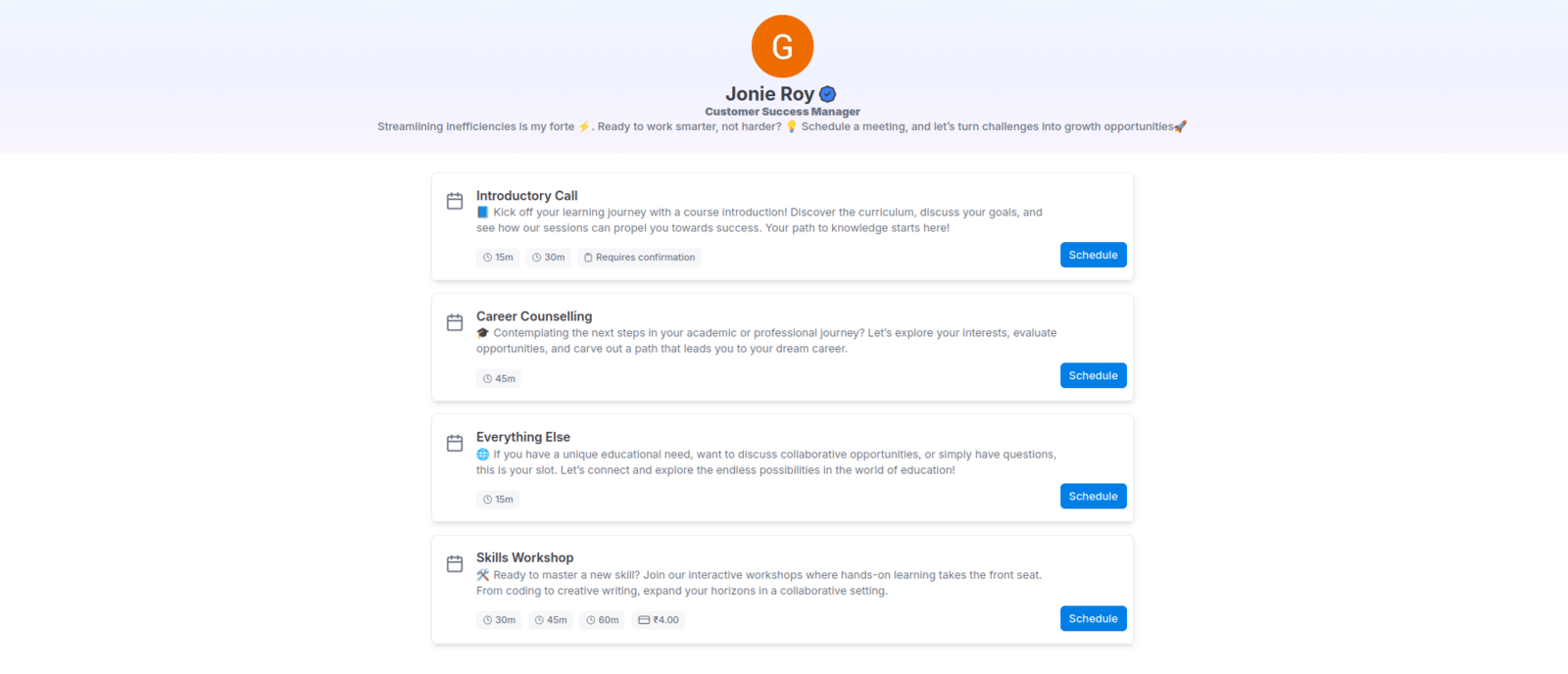
* **Visible by default:** Standard events appear on your main public booking page (e.g., `cal.id/username`).
* **Direct access only:** Only people who have the exact link for that specific event can book it.
* **Use cases:** Perfect for VIP clients, private consultations, or internal team meetings that you don't want the general public to see.
Secret events are completely hidden from your public booking page. They never appear in your profile's event list and can only be booked by someone you send the direct link to.
## How to manage event visibility
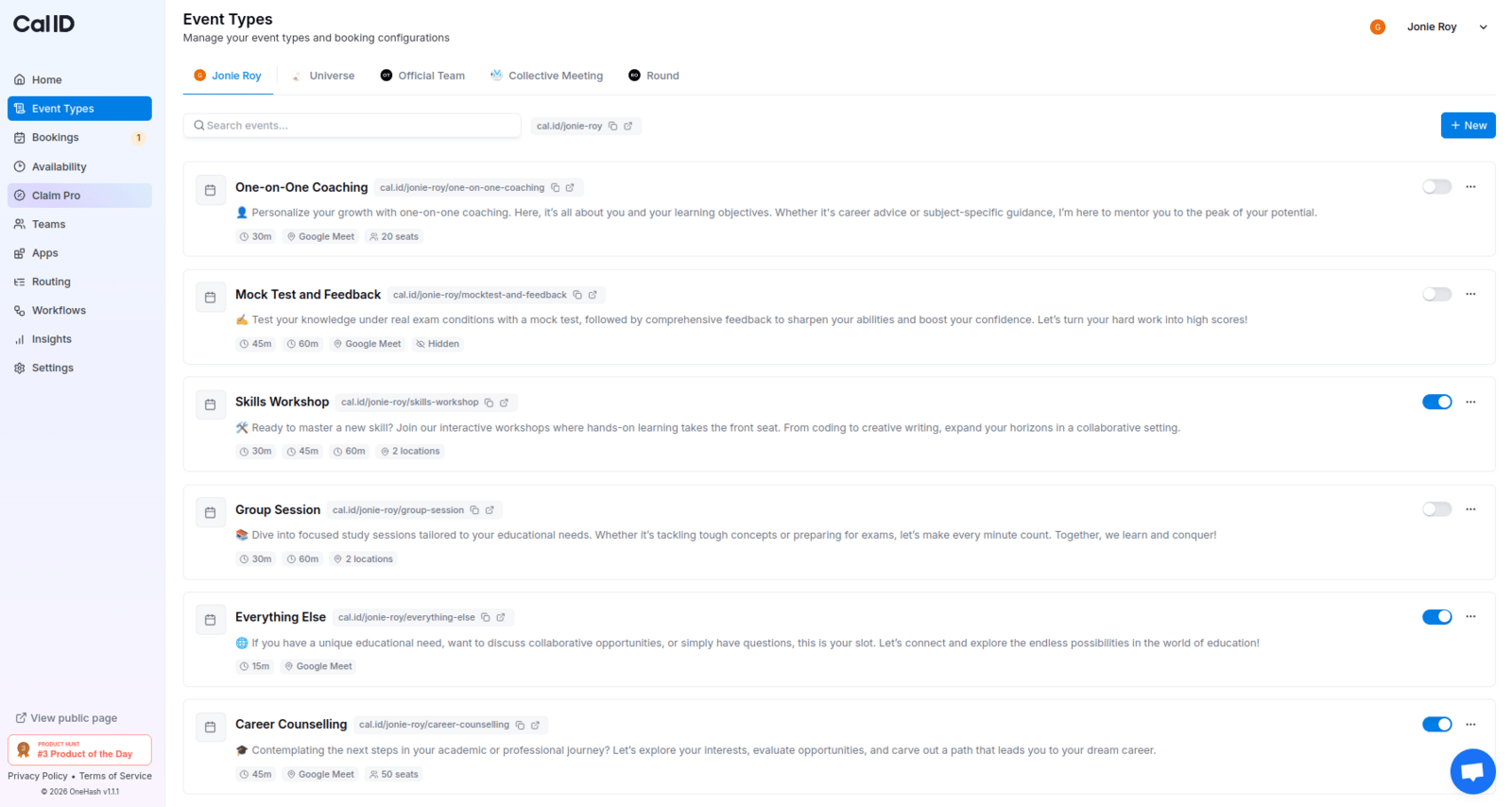
You can control whether an event is public or secret using the visibility toggle.
* **Toggle ON (Visible):** Switch the toggle **ON** if you want to show the event on your **Public** profile.
* **Toggle OFF (Hidden):** Switch the toggle **OFF** if you want to keep the event secret and hide it from your public profile.
 ## Where to find the toggle
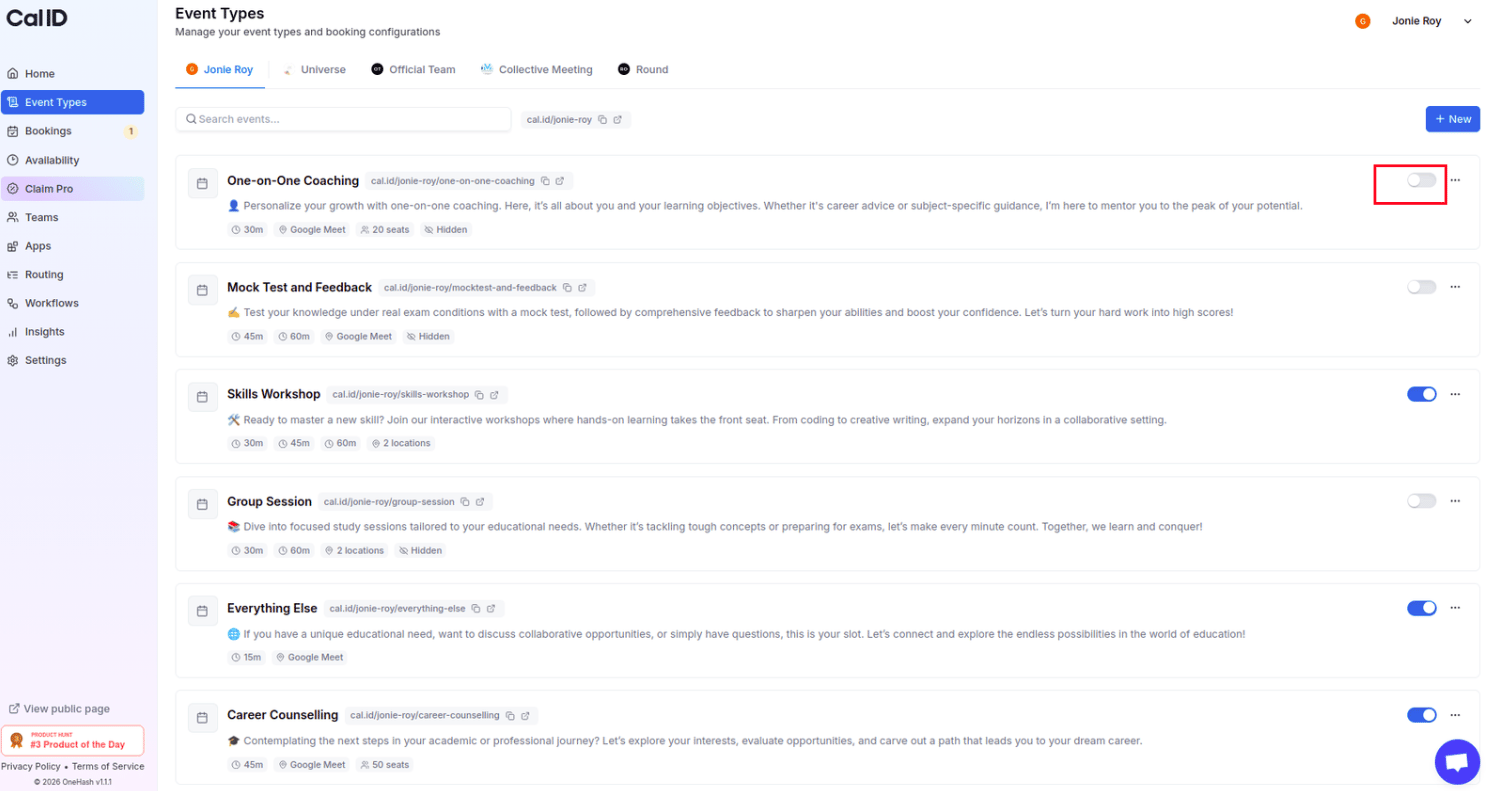
* **Event Types page:** You can toggle visibility directly from the main **Event Types** list using the switch on the right side of each event card.
## Where to find the toggle
* **Event Types page:** You can toggle visibility directly from the main **Event Types** list using the switch on the right side of each event card.
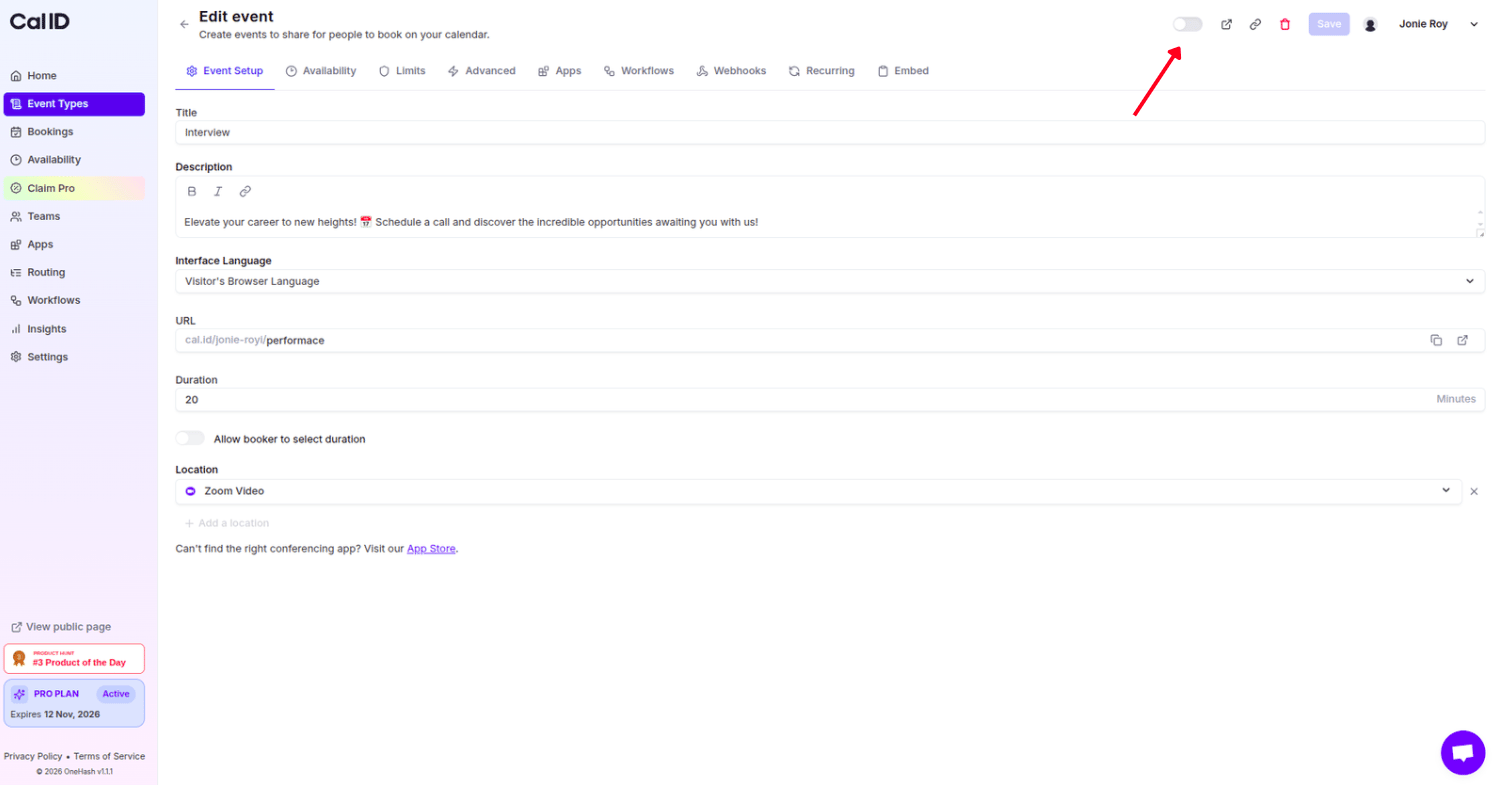
 * **Edit Event page:** You can also change this setting by clicking into an event and using the toggle at the top right, next to the **Save** button.
 ## How to share a secret event
Since these events don't show up on your main page, you must share the direct link.
Go to your **Event Types** list in the dashboard.
Click the **Copy Link** icon next to the URL of your Secret Event.
Send this specific URL (e.g., `cal.id/username/vip-meeting`) directly to your guest via email or message.
## Important notes for users
* **No "View All" access:** Even if a user is currently on your public page, they cannot "find" a secret event without the direct link.
* **Status indicators:** In your dashboard, Secret Events are marked with a **"Hidden"** badge so you can easily distinguish them from your public ones.
## Related topics
- [Event Types](/docs/event-types/basics/overview.md)
- [Single-Use or Time-Based Private Links](/docs/event-types/advanced/private-links.md)
- [Editing Event Type Details (Title, URL, & Language)](/docs/event-types/basics/edit-details.md)
- [Duplicate the Event Type](/docs/event-types/basics/duplicate.md)
- [Delete the Event Type](/docs/event-types/basics/delete.md)
## How to share a secret event
Since these events don't show up on your main page, you must share the direct link.
Go to your **Event Types** list in the dashboard.
Click the **Copy Link** icon next to the URL of your Secret Event.
Send this specific URL (e.g., `cal.id/username/vip-meeting`) directly to your guest via email or message.
## Important notes for users
* **No "View All" access:** Even if a user is currently on your public page, they cannot "find" a secret event without the direct link.
* **Status indicators:** In your dashboard, Secret Events are marked with a **"Hidden"** badge so you can easily distinguish them from your public ones.
## Related topics
- [Event Types](/docs/event-types/basics/overview.md)
- [Single-Use or Time-Based Private Links](/docs/event-types/advanced/private-links.md)
- [Editing Event Type Details (Title, URL, & Language)](/docs/event-types/basics/edit-details.md)
- [Duplicate the Event Type](/docs/event-types/basics/duplicate.md)
- [Delete the Event Type](/docs/event-types/basics/delete.md)