> ## Documentation Index
> Fetch the complete documentation index at: https://cal.id/docs/llms.txt
> Use this file to discover all available pages before exploring further.
# Set Multiple Durations
> Offer several meeting lengths within a single Cal ID event type and let bookers pick the duration they need without creating separate event types.
Offer several meeting lengths within a single event type and let bookers pick the one they need. In **Cal ID**, you don't have to create multiple separate events just to offer different durations—**Multiple Durations** lets your guests decide how much time they need before choosing a time slot.
## Offering multiple durations
This feature allows a single event type to have multiple time options (for example: 15, 20, and 60 minutes). The guest picks the length that suits them best before choosing a time slot.
### Why use multiple durations?
* **Cleaner Profile:** Keep your booking page simple by grouping different time options under one event.
* **Guest Flexibility:** It gives the booker the power to choose exactly how much of your time they need.
## How to set it up
Click on **Event Types** in the left sidebar.
Click on the event you want to edit (e.g., "Interview").
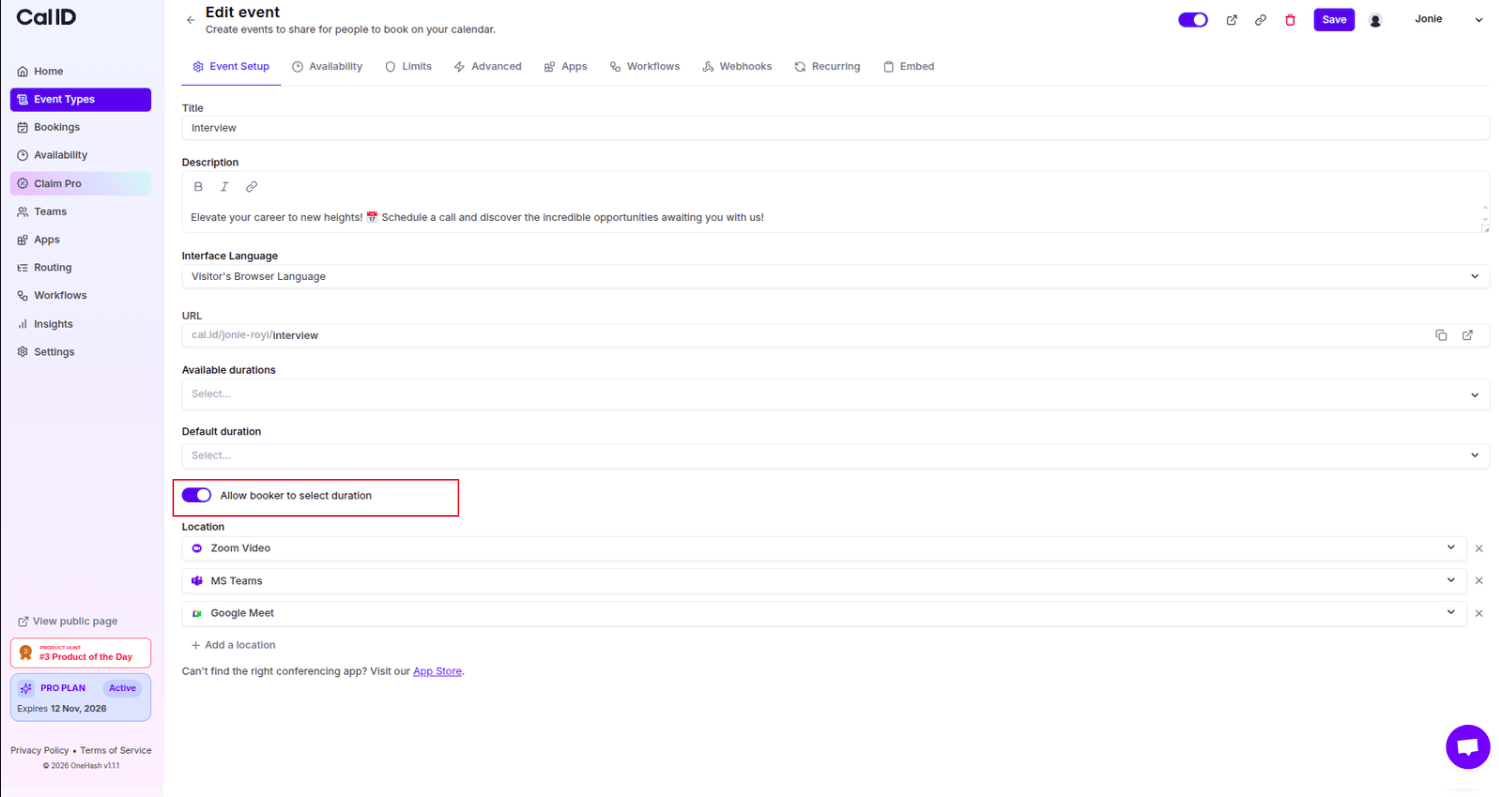
Scroll down to the **Duration** section. Switch the toggle for **"Allow booker to select duration"** to **ON** (it will turn blue).
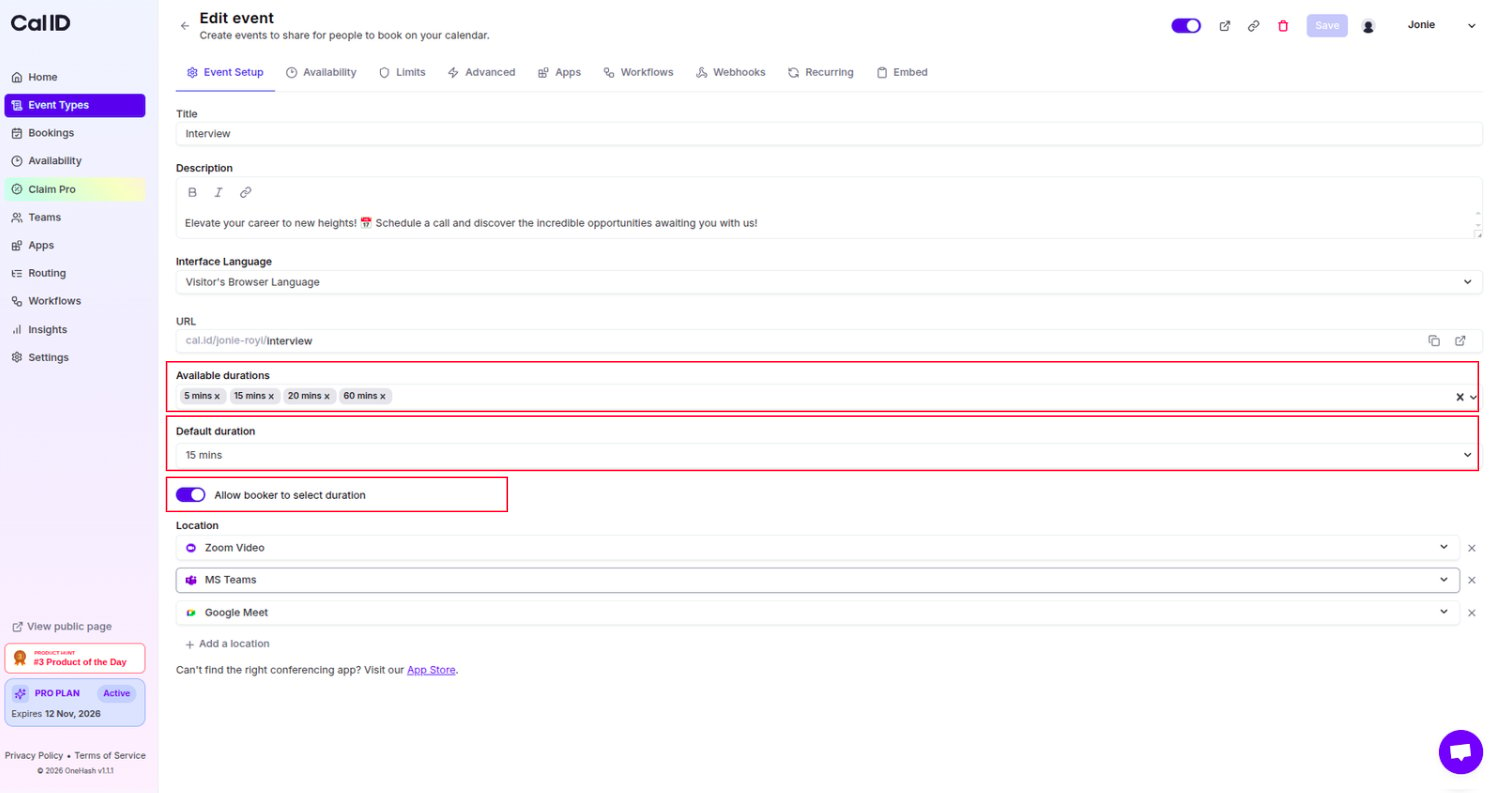
 In the **Available durations** field, select or type the different lengths of time you want to offer (e.g., 5 mins, 15 mins, 20 mins, 60 mins).
Choose a **Default duration** from the dropdown menu. This is the time length that will be pre-selected for the guest.
Click the **Save** button at the top of the page.
In the **Available durations** field, select or type the different lengths of time you want to offer (e.g., 5 mins, 15 mins, 20 mins, 60 mins).
Choose a **Default duration** from the dropdown menu. This is the time length that will be pre-selected for the guest.
Click the **Save** button at the top of the page.
 ## How it looks for the booker
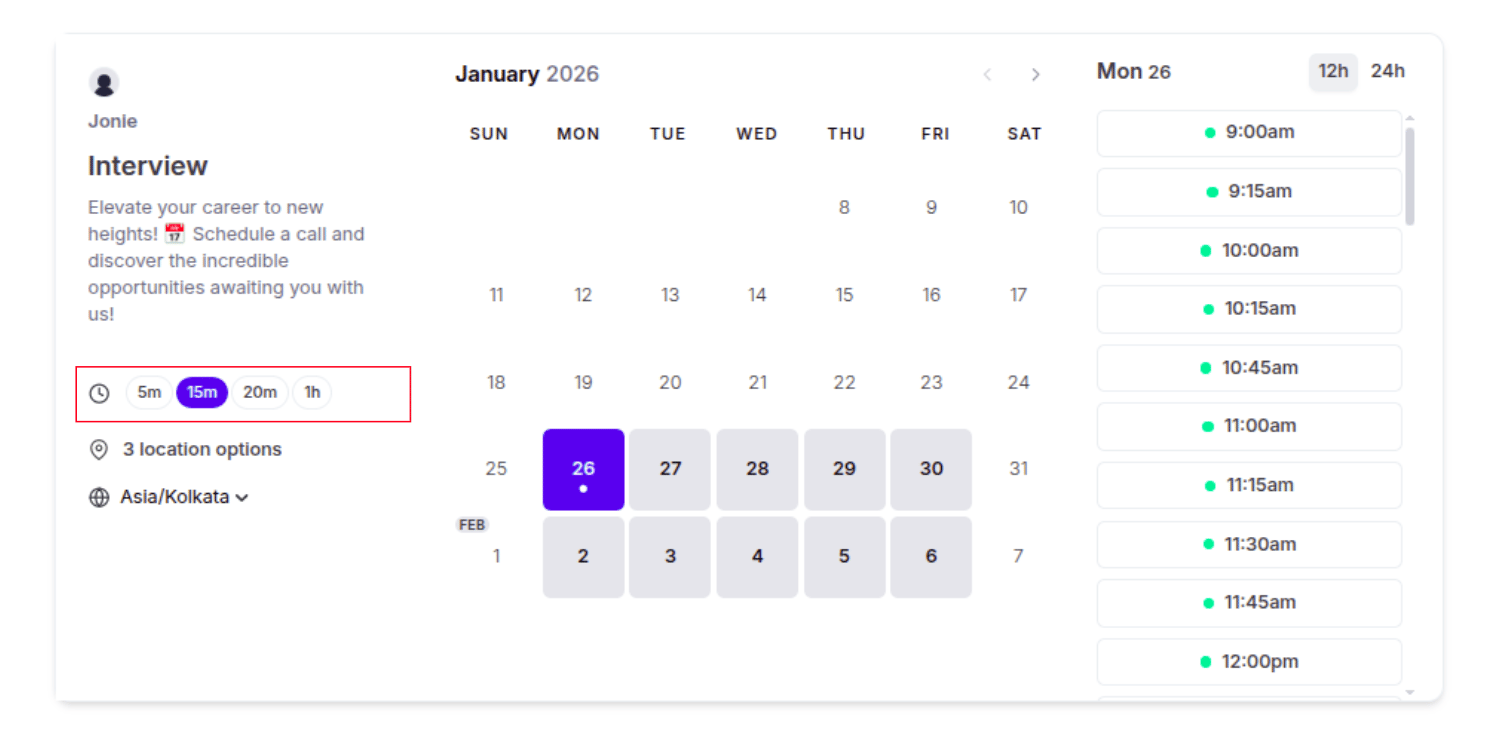
When a guest visits your booking link, they will see your list of available durations. Once they select a duration, the calendar will automatically update to show only the time slots that can fit that specific meeting length.
## How it looks for the booker
When a guest visits your booking link, they will see your list of available durations. Once they select a duration, the calendar will automatically update to show only the time slots that can fit that specific meeting length.
 ## Important things to know
* **Smart Availability:** If a guest picks a 60-minute meeting, Cal ID will automatically hide any smaller gaps in your schedule that aren't long enough for a full hour.
* **Easy Management:** You can quickly add or remove duration options at any time by clicking the "x" next to a time in the **Available durations** list.
Set your **Default duration** to the length most guests will want. It's pre-selected on the booking page, so a well-chosen default means fewer clicks for the common case.
## Related topics
- [Set Event Location](/docs/event-types/setup/location.md)
- [How to set Availability for an Event type?](/docs/event-types/setup/event-availability.md)
- [Limit total Booking Duration](/docs/event-types/limits/total-duration.md)
- [Editing Event Type Details (Title, URL, & Language)](/docs/event-types/basics/edit-details.md)
- [Custom or Fixed Time-Slot Intervals](/docs/event-types/limits/time-slot-intervals.md)
## Important things to know
* **Smart Availability:** If a guest picks a 60-minute meeting, Cal ID will automatically hide any smaller gaps in your schedule that aren't long enough for a full hour.
* **Easy Management:** You can quickly add or remove duration options at any time by clicking the "x" next to a time in the **Available durations** list.
Set your **Default duration** to the length most guests will want. It's pre-selected on the booking page, so a well-chosen default means fewer clicks for the common case.
## Related topics
- [Set Event Location](/docs/event-types/setup/location.md)
- [How to set Availability for an Event type?](/docs/event-types/setup/event-availability.md)
- [Limit total Booking Duration](/docs/event-types/limits/total-duration.md)
- [Editing Event Type Details (Title, URL, & Language)](/docs/event-types/basics/edit-details.md)
- [Custom or Fixed Time-Slot Intervals](/docs/event-types/limits/time-slot-intervals.md)