> ## Documentation Index
> Fetch the complete documentation index at: https://cal.id/docs/llms.txt
> Use this file to discover all available pages before exploring further.
# Analyzing Routing Form Performance in Cal ID Insights
> Interpret routing form analytics in Cal ID Insights to track qualifying questions, visualize drop-off points, and optimize your lead conversion funnel.
Understand how your routing forms convert. The **Routing** insight tab lets you track the effectiveness of your qualifying questions, visualize where visitors drop off, and optimize your lead conversion funnel.
## Open the Routing dashboard
Access your main account dashboard.
Click **Insights** in the left-hand sidebar menu.
Click the **Routing** tab at the top left of the insights page to view analytics specific to your forms.
## Key routing metrics & definitions
### Routing form summary
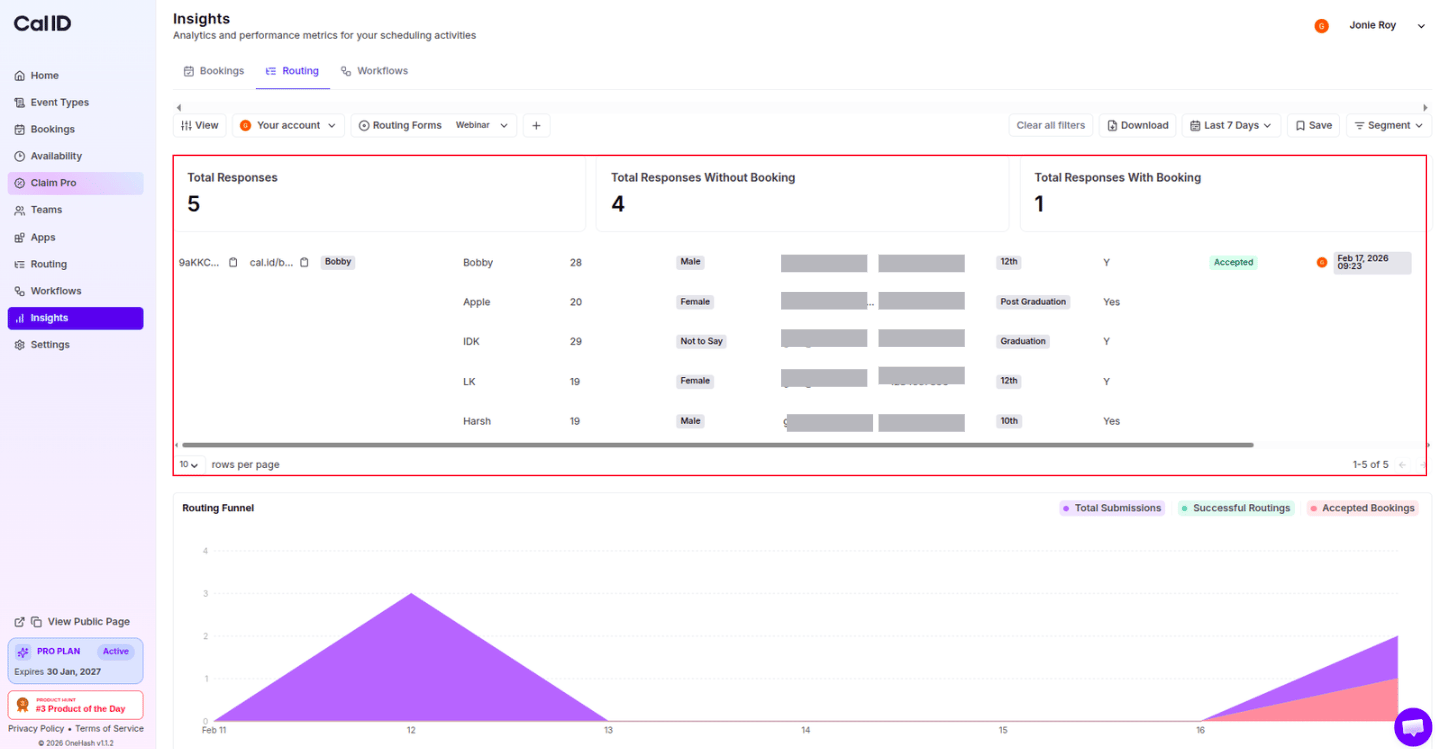
This scorecard provides a high-level view of form performance within your selected date range.
| Metric | What it tells you |
| ----------------------- | -------------------------------------------------------------------------------------------------------------------------------- |
| **Total Response** | How many visitors completed and submitted the form. |
| **Successful Routes** | The number of visitors who met your criteria and were successfully redirected to a destination (booking page). |
| **Unsuccessful Routes** | The number of visitors who met your criteria and were successfully redirected to a destination but did not complete the booking. |
 ### Routing funnel analysis
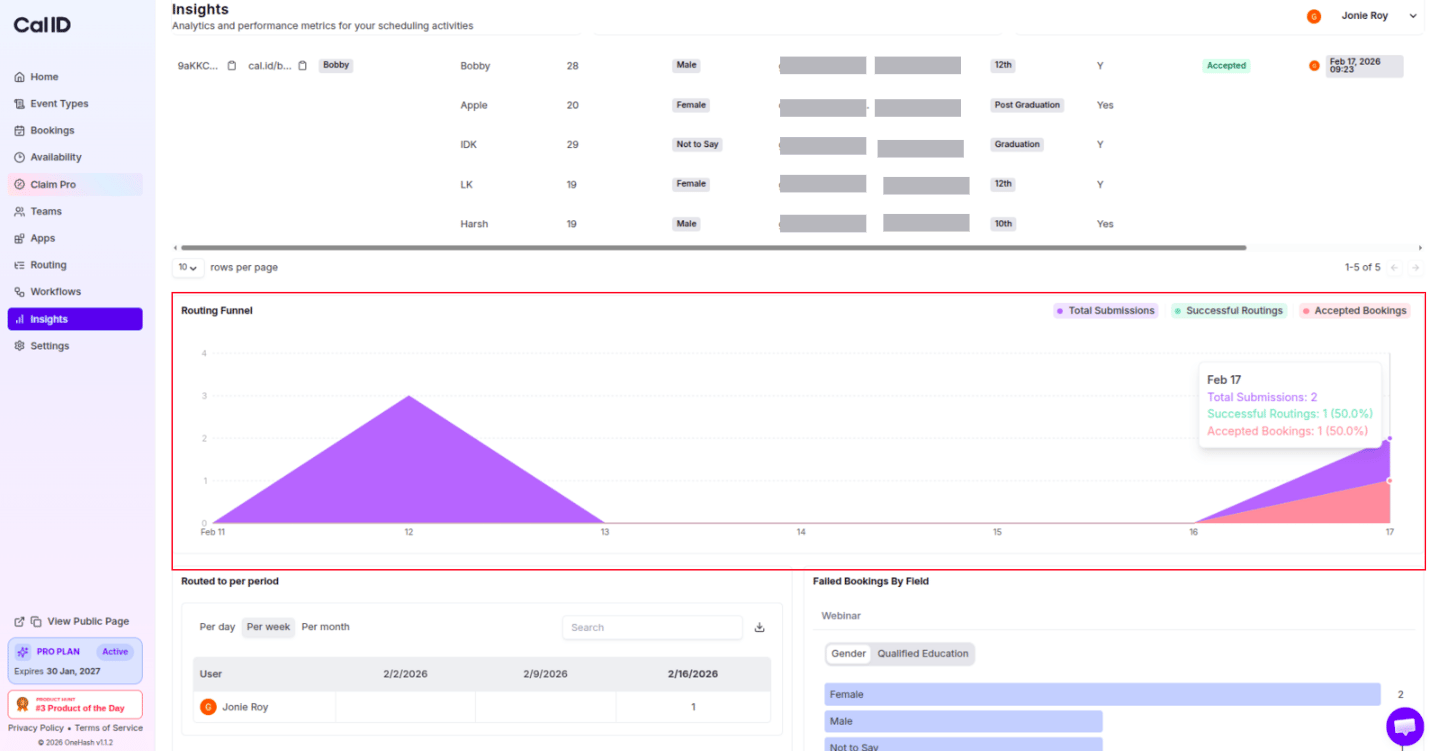
Shows date-wise trends for Total submissions, Successful Routings, and Accepted Bookings.
### Routing funnel analysis
Shows date-wise trends for Total submissions, Successful Routings, and Accepted Bookings.
 ## Performance graphs & data trends
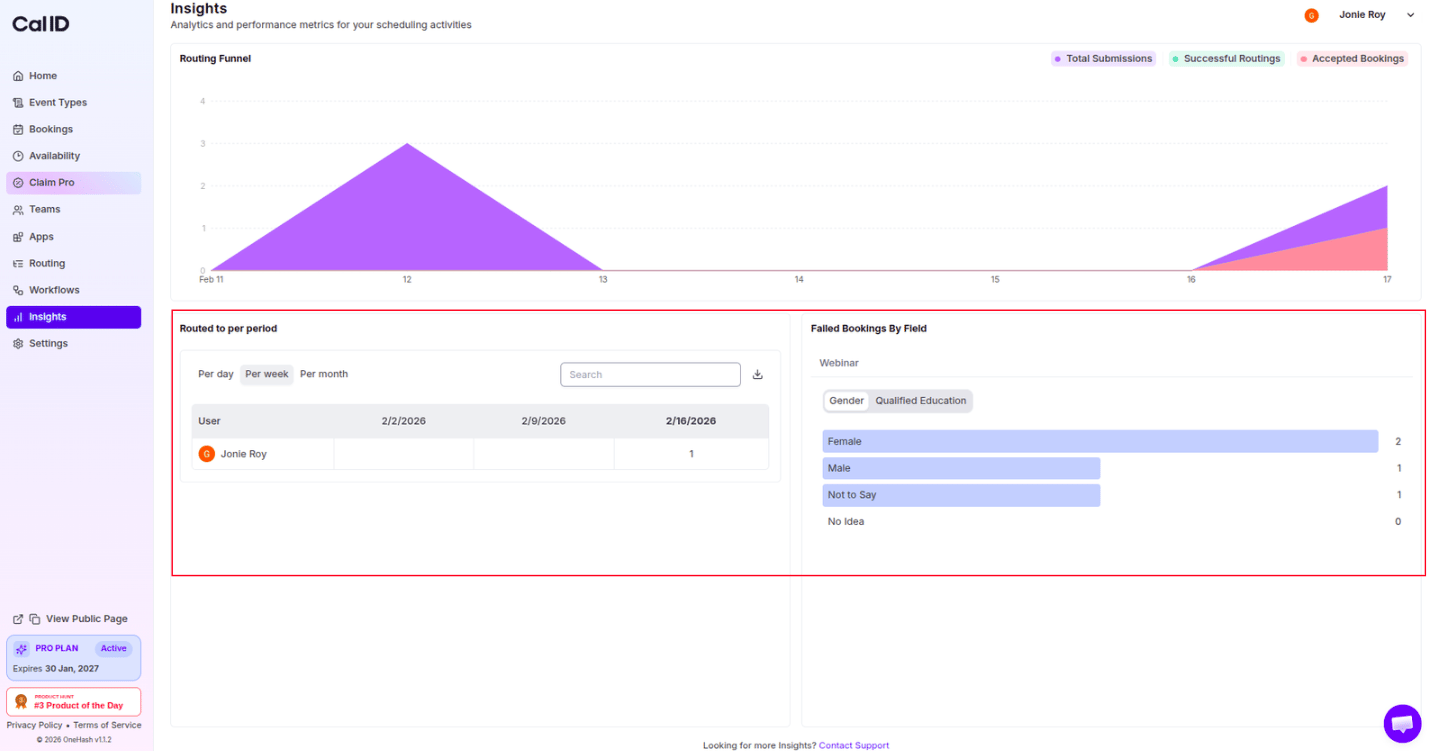
* **Submission Timeline**: A graph showing daily or weekly form submissions, allowing you to correlate form activity with marketing campaigns.
* **Drop-off Visualization**: A visual representation of where users stop completing the form, helping you identify confusing questions.
## Performance graphs & data trends
* **Submission Timeline**: A graph showing daily or weekly form submissions, allowing you to correlate form activity with marketing campaigns.
* **Drop-off Visualization**: A visual representation of where users stop completing the form, helping you identify confusing questions.
 ## Filtering and customizing data
Filters apply to every scorecard and graph on the page. Set your date range, form, and account before reading the numbers so you're comparing the right data.
* **Date Range Selector**: Use the dropdown in the top right to analyze data from specific periods, such as "Last 30 Days" or "Custom Range".
## Filtering and customizing data
Filters apply to every scorecard and graph on the page. Set your date range, form, and account before reading the numbers so you're comparing the right data.
* **Date Range Selector**: Use the dropdown in the top right to analyze data from specific periods, such as "Last 30 Days" or "Custom Range".
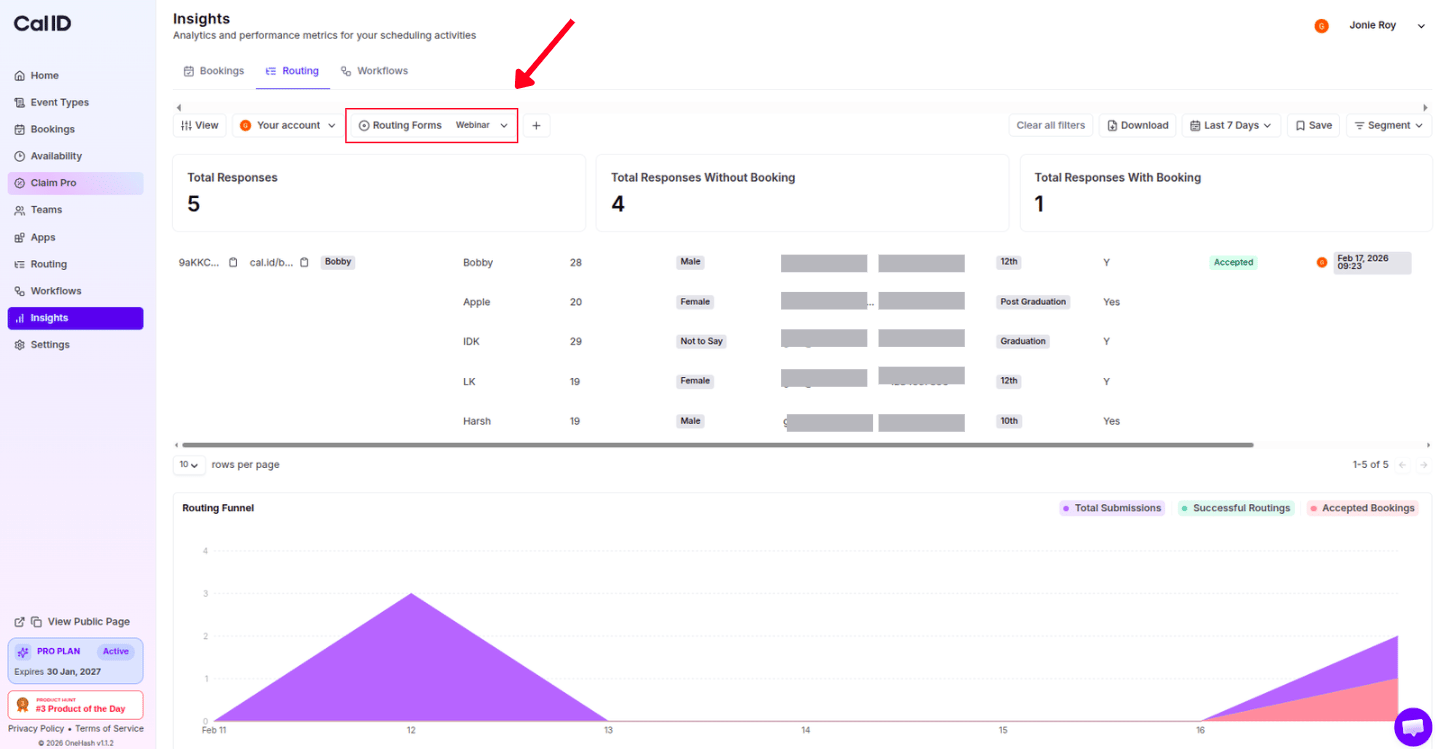
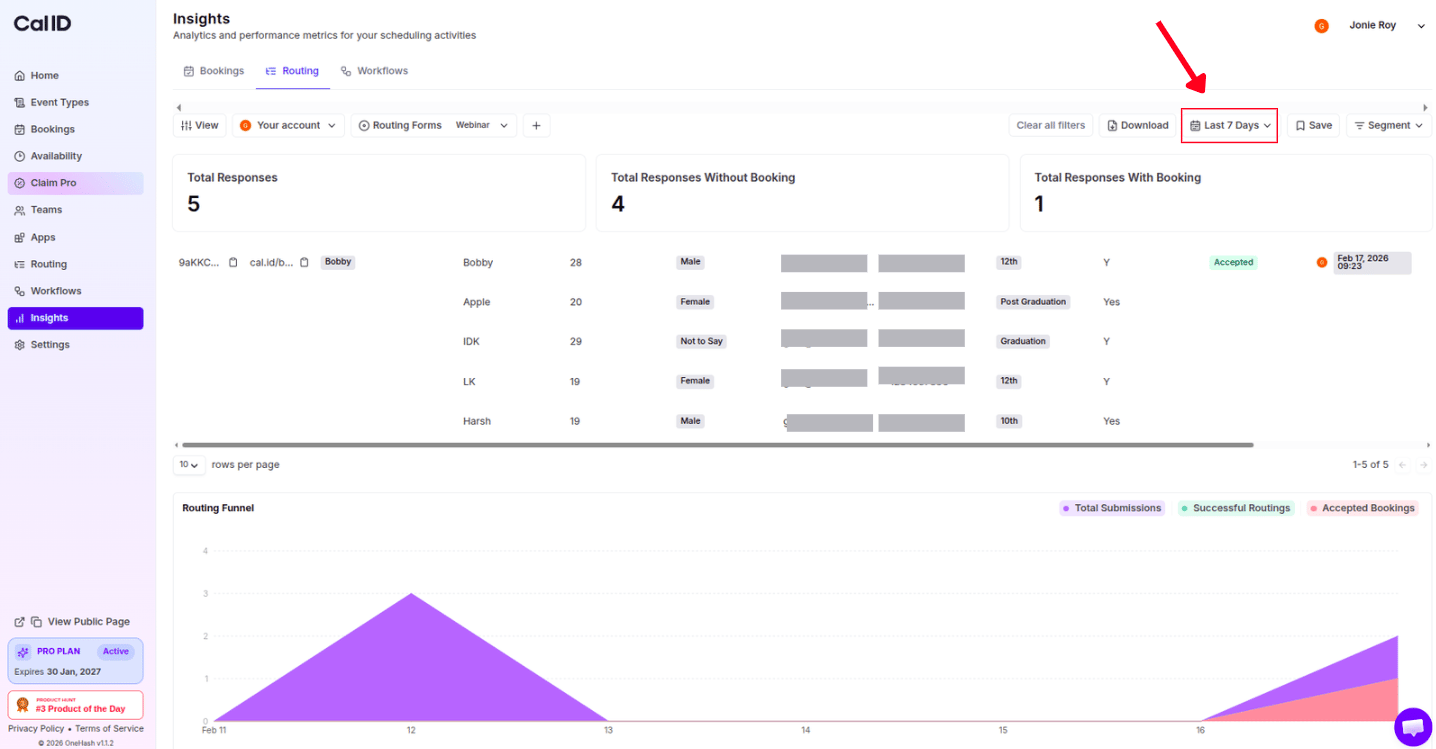 * **Form Selector**: If you have multiple routing forms, use the dropdown to view insights for a **Specific Form** or **All Forms**.
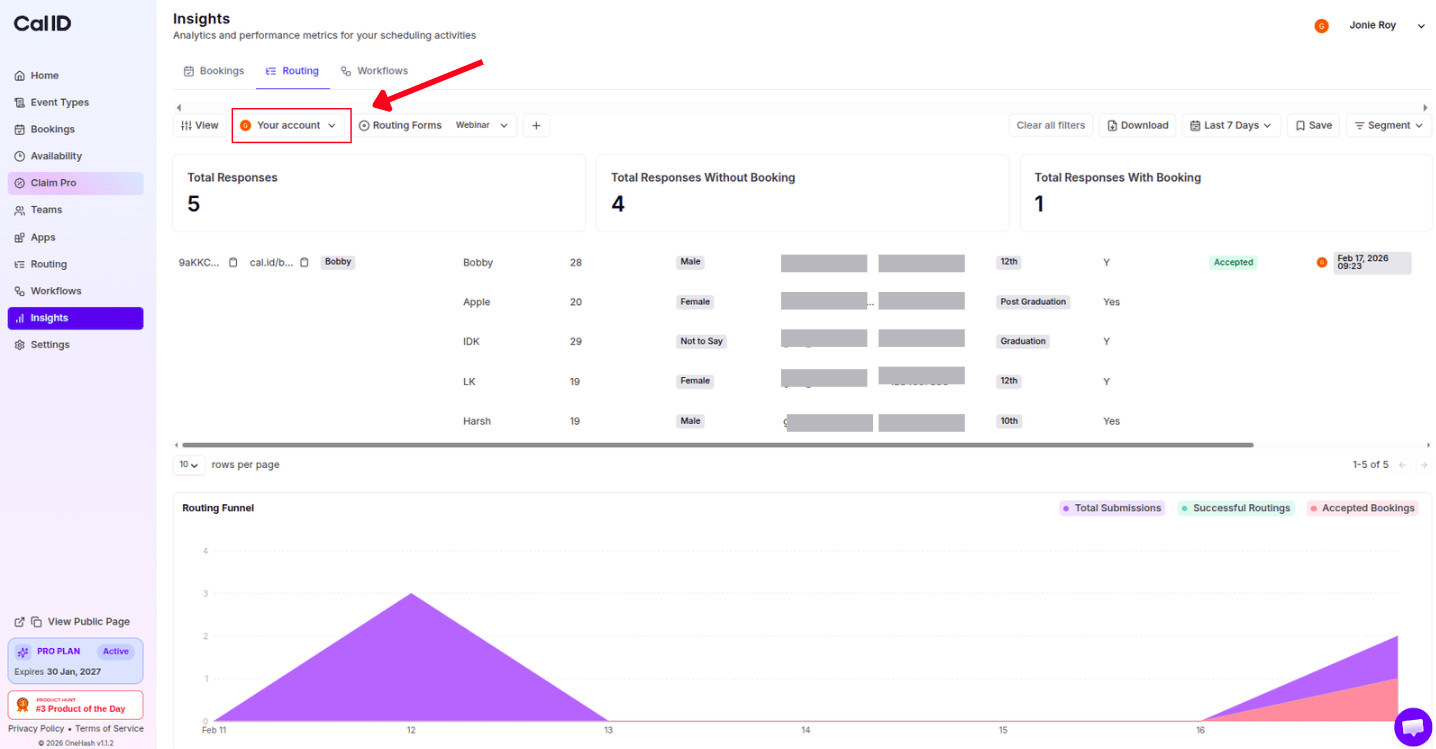
 * **Account Filter**: Switch between **Personal** routing data or specific **Team** routing data using the filter in the top left.
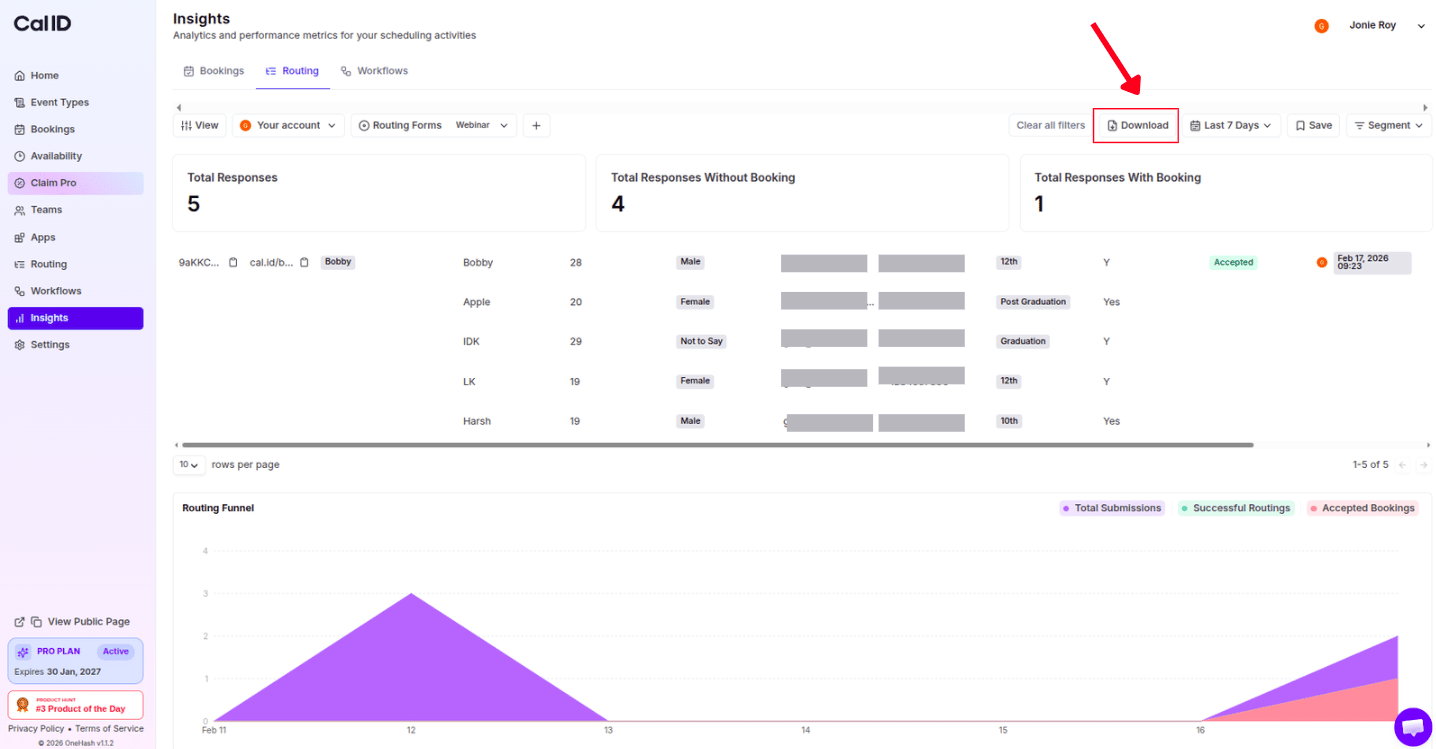
 * **Export Data**: Click the **Download** button in the top right to export your routing data as a CSV or PDF for advanced analysis.
 ## Next steps
Create and configure the qualifying questions that feed these insights.
Track booking efficiency, meeting trends, and no-show rates across your events.
## Related docs
* For Booking Insights, refer to [Analyzing Booking Performance with Cal ID Insights](/docs/insights/booking-performance).
* For Workflows Insights, refer to [Analyzing Workflow Performance in Cal ID Insights](/docs/insights/workflow-performance).
## Related topics
- [Analyzing Booking Performance with Cal ID Insights](/docs/insights/booking-performance.md)
- [Analyzing Workflow Performance in Cal ID Insights](/docs/insights/workflow-performance.md)
- [Setting Up Routing Forms in Cal ID](/docs/routing/routing-forms.md)
- [Round-Robin Scheduling](/docs/teams/round-robin.md)
## Next steps
Create and configure the qualifying questions that feed these insights.
Track booking efficiency, meeting trends, and no-show rates across your events.
## Related docs
* For Booking Insights, refer to [Analyzing Booking Performance with Cal ID Insights](/docs/insights/booking-performance).
* For Workflows Insights, refer to [Analyzing Workflow Performance in Cal ID Insights](/docs/insights/workflow-performance).
## Related topics
- [Analyzing Booking Performance with Cal ID Insights](/docs/insights/booking-performance.md)
- [Analyzing Workflow Performance in Cal ID Insights](/docs/insights/workflow-performance.md)
- [Setting Up Routing Forms in Cal ID](/docs/routing/routing-forms.md)
- [Round-Robin Scheduling](/docs/teams/round-robin.md)