> ## Documentation Index
> Fetch the complete documentation index at: https://cal.id/docs/llms.txt
> Use this file to discover all available pages before exploring further.
# Dynamic Group Links
> Schedule meetings with multiple people on the fly by joining Cal ID usernames with a plus sign in the URL, with no team creation or event setup required.
**Dynamic Group Links** let you schedule meetings with multiple people on the fly — no formal "Team" or pre-defined event type required. Just combine usernames in the URL and Cal ID does the rest.
## Using dynamic group links
Traditional group scheduling requires you to set up a "Collective Event" in your dashboard first. Dynamic Group Links bypass this entirely by letting you create a collective booking link just by editing a URL.
### How it works (the "+" method)
To create a group link instantly, take two or more Cal ID usernames and join them with a **plus (+) sign** in the browser's address bar.
| Link type | Example URL |
| ------------------ | ----------------------------------- |
| 1-on-1 link | `cal.id/yourname` |
| Dynamic group link | `cal.id/yourname+colleague` |
| Triple group link | `cal.id/yourname+colleague+manager` |
Combining usernames with `+` merges everyone's calendars into one booking page. Cal ID automatically finds the times where **all** listed participants are free and shows only those overlapping slots to the booker — cross-referencing everyone's timezones and busy slots in seconds.
## Why use Dynamic Group Links?
* **No setup required** — you don't need to log in to the dashboard or create a new event type every time you want to loop someone in.
* **Perfect for ad-hoc meetings** — ideal for sales calls where you need to bring in an engineer, or a doctor's appointment that needs an assistant present.
* **Global coordination** — it automatically handles the cross-referencing of everyone's timezones and busy slots.
## Privacy and control
This is an **opt-in** feature, so you aren't added to random group meetings without your consent.
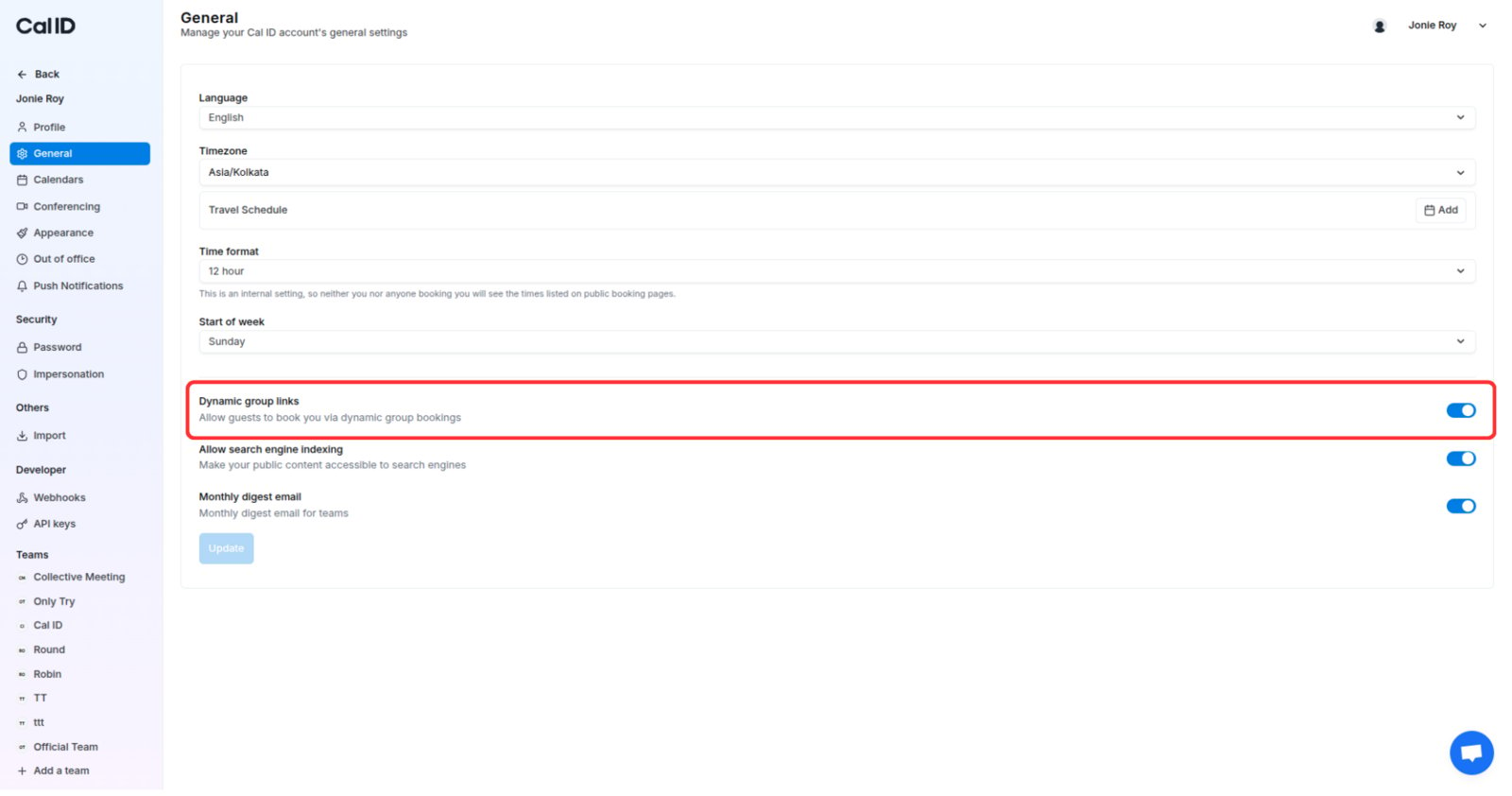
Head to **Settings > General**.
Find the **Dynamic Group Links** toggle and set it to your preference.
* **ON** — others can add your username to a dynamic link to include you in a booking.
* **OFF** — your username is blocked from dynamic links, so people can only book you via your established event types.
 ## Related topics
- [Configure Language, Timezone, and Travel Schedule in Cal ID](/docs/settings/general.md)
- [Scheduling a One-Time Group Event (Webinars & GDs)](/docs/event-types/group-events.md)
- [Team Availability](/docs/availability/team-availability.md)
- [Collective Events](/docs/teams/collective.md)
## Related topics
- [Configure Language, Timezone, and Travel Schedule in Cal ID](/docs/settings/general.md)
- [Scheduling a One-Time Group Event (Webinars & GDs)](/docs/event-types/group-events.md)
- [Team Availability](/docs/availability/team-availability.md)
- [Collective Events](/docs/teams/collective.md)