> ## Documentation Index
> Fetch the complete documentation index at: https://cal.id/docs/llms.txt
> Use this file to discover all available pages before exploring further.
# Collective Events
> Set up collective events in Cal ID so bookers can schedule a meeting with several team members at once, based on shared or common team availability.
Collective event types are ideal when a booker needs to meet with several team members at once. Cal ID finds a time that works for everyone and puts them all on the same booking.
In a collective event, **all selected co-hosts must attend** the meeting. Cal ID only offers slots where every co-host is free, so the booker always lands on a time that works for the entire group.
## Create a collective event
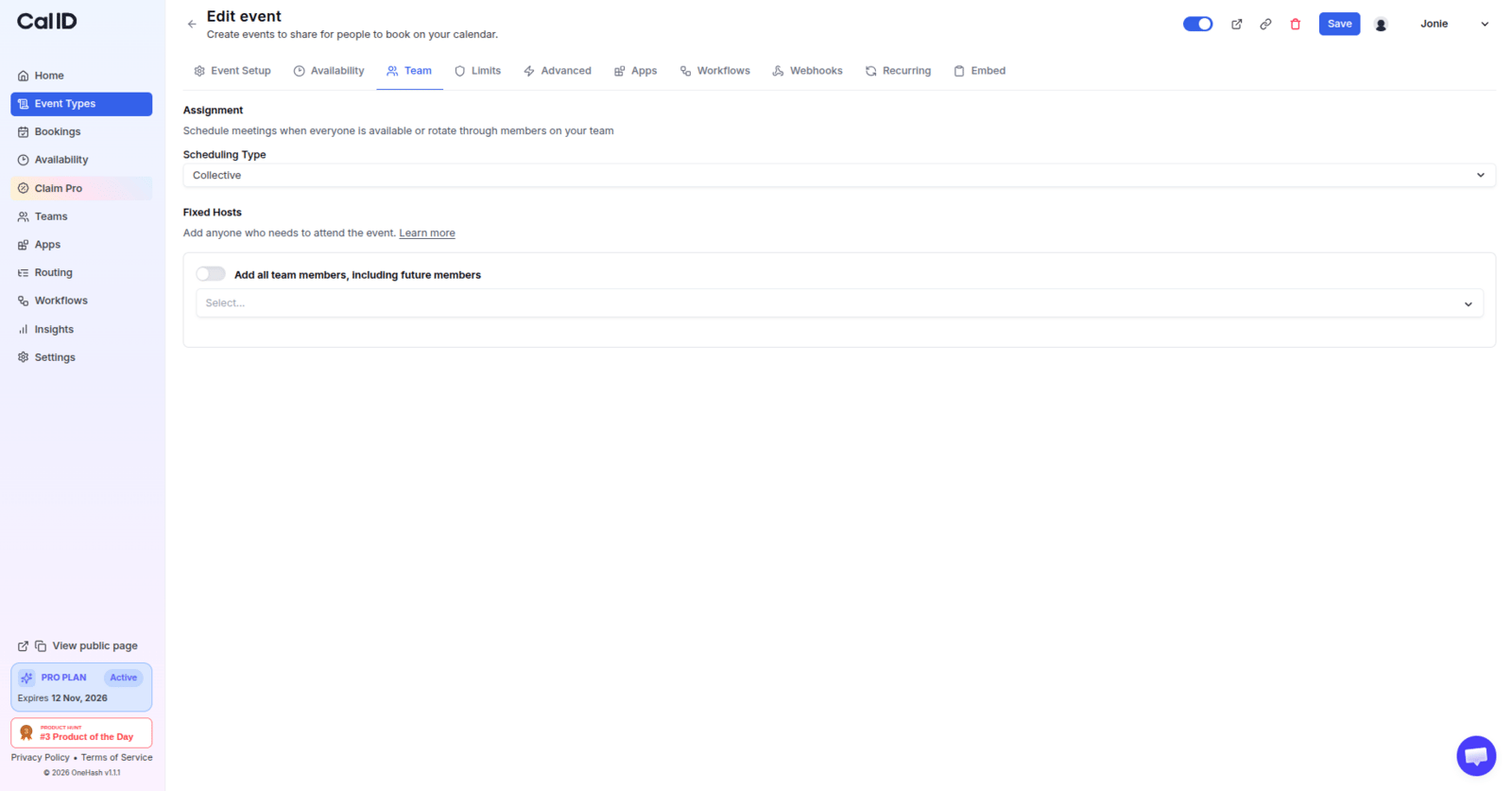
From your team, create a new event type and select **Collective** as the scheduling type.
Choose exactly which team members should co-host this event type collectively.
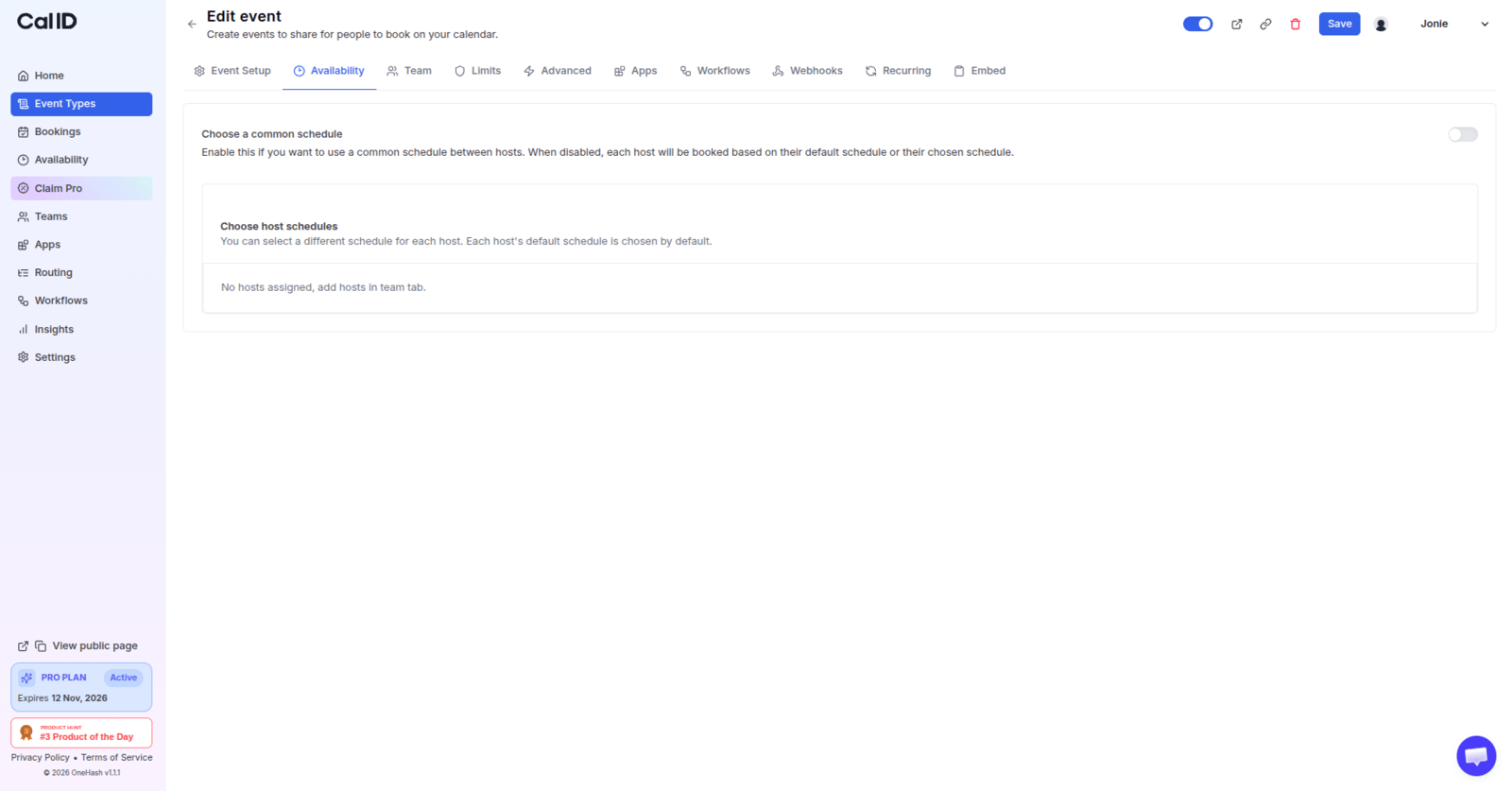
 By default, Cal ID evaluates availability based on each member's individual schedule. You can instead put forward a **common schedule** for this specific event type, which overrides each member's availability for this event only.
 When you need a group of team members to attend the same meeting, collective events are fantastic. Seeking a convenient time for all of your team members to attend is a breeze with this method.
## Next steps
Distribute bookings across a rotating pool instead of gathering everyone.
Review how shared and individual schedules combine for your team.
## Related topics
- [Round-Robin Scheduling](/docs/teams/round-robin.md)
- [Managed Events](/docs/teams/managed.md)
- [Team Availability](/docs/availability/team-availability.md)
- [Internal Team Meeting](/docs/teams/internal-meeting.md)
- [Teams in Cal ID](/docs/teams/overview.md)
When you need a group of team members to attend the same meeting, collective events are fantastic. Seeking a convenient time for all of your team members to attend is a breeze with this method.
## Next steps
Distribute bookings across a rotating pool instead of gathering everyone.
Review how shared and individual schedules combine for your team.
## Related topics
- [Round-Robin Scheduling](/docs/teams/round-robin.md)
- [Managed Events](/docs/teams/managed.md)
- [Team Availability](/docs/availability/team-availability.md)
- [Internal Team Meeting](/docs/teams/internal-meeting.md)
- [Teams in Cal ID](/docs/teams/overview.md)