> ## Documentation Index
> Fetch the complete documentation index at: https://cal.id/docs/llms.txt
> Use this file to discover all available pages before exploring further.
# How to Leave a Team in Cal ID
> Remove yourself from a Cal ID team you are currently a member of in a few clicks from your team settings to stop receiving new team bookings.
Remove yourself from a team you currently belong to in a few clicks, so you stop receiving new team bookings.
## Leave a team
Access your account dashboard.
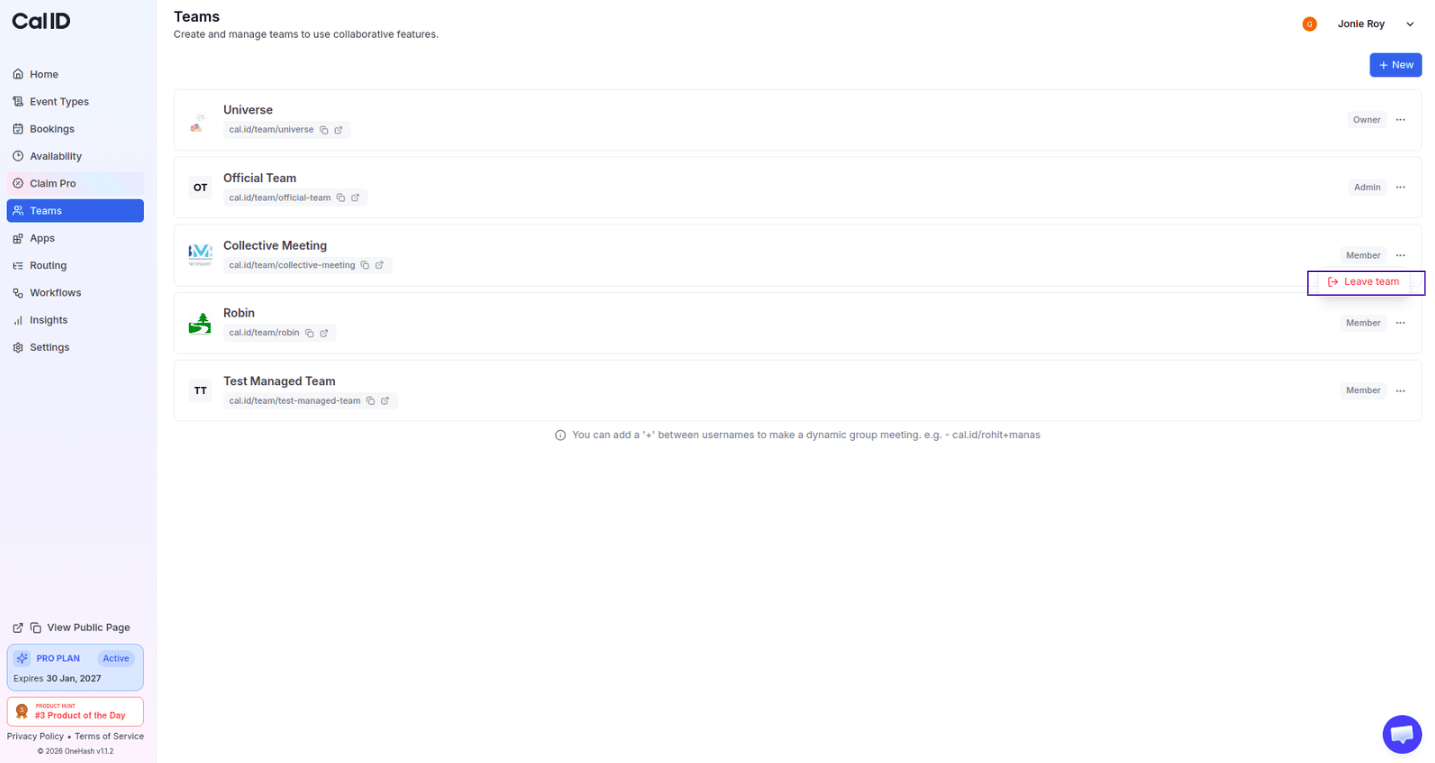
Click on the **Teams** icon in the left-hand sidebar.
Locate the team you wish to leave, click the **three horizontal dots**, and select **Leave team**.
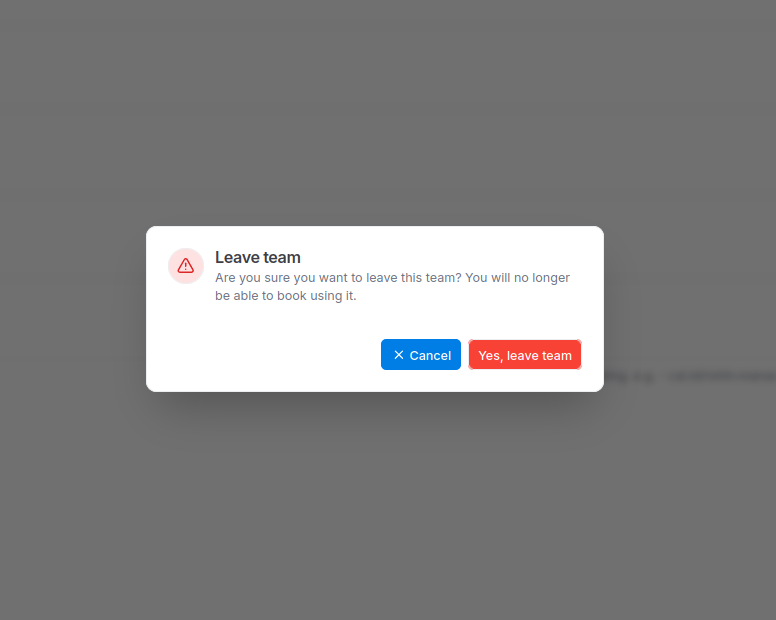
 A dialog box will appear asking to confirm your decision. Click the red **Yes, leave team** button.
 Once you leave a team, you will no longer have access to the team's shared event types or booking links. To rejoin, an Owner or Admin will need to invite you again.
## Related docs
* [Managing Team Settings and Profile](/docs/teams/settings)
* [Inviting Members to an Existing Team](/docs/teams/invite-members)
* [How to Remove a Member from the Team](/docs/teams/remove-member)
## Related topics
- [How to Remove a Member from the Team](/docs/teams/remove-member.md)
- [Teams in Cal ID](/docs/teams/overview.md)
- [Inviting Members to an Existing Team](/docs/teams/invite-members.md)
- [Managing Team Settings and Profile](/docs/teams/settings.md)
- [Team Advanced Settings](/docs/teams/advanced-settings.md)
Once you leave a team, you will no longer have access to the team's shared event types or booking links. To rejoin, an Owner or Admin will need to invite you again.
## Related docs
* [Managing Team Settings and Profile](/docs/teams/settings)
* [Inviting Members to an Existing Team](/docs/teams/invite-members)
* [How to Remove a Member from the Team](/docs/teams/remove-member)
## Related topics
- [How to Remove a Member from the Team](/docs/teams/remove-member.md)
- [Teams in Cal ID](/docs/teams/overview.md)
- [Inviting Members to an Existing Team](/docs/teams/invite-members.md)
- [Managing Team Settings and Profile](/docs/teams/settings.md)
- [Team Advanced Settings](/docs/teams/advanced-settings.md)