> ## Documentation Index
> Fetch the complete documentation index at: https://cal.id/docs/llms.txt
> Use this file to discover all available pages before exploring further.
# Customizing Your Workflow Messages
> Personalize your Cal ID workflow reminders with custom sender names, dynamic subject lines, and booking variables so every message feels on-brand.
A custom template gives you full creative control over how your reminders and notifications look. The **Default Template** is great for a quick setup, but switching to a **Custom Template** unlocks personalized sender names, dynamic subject lines, and booking variables so every message feels on-brand.
## Personalize your template
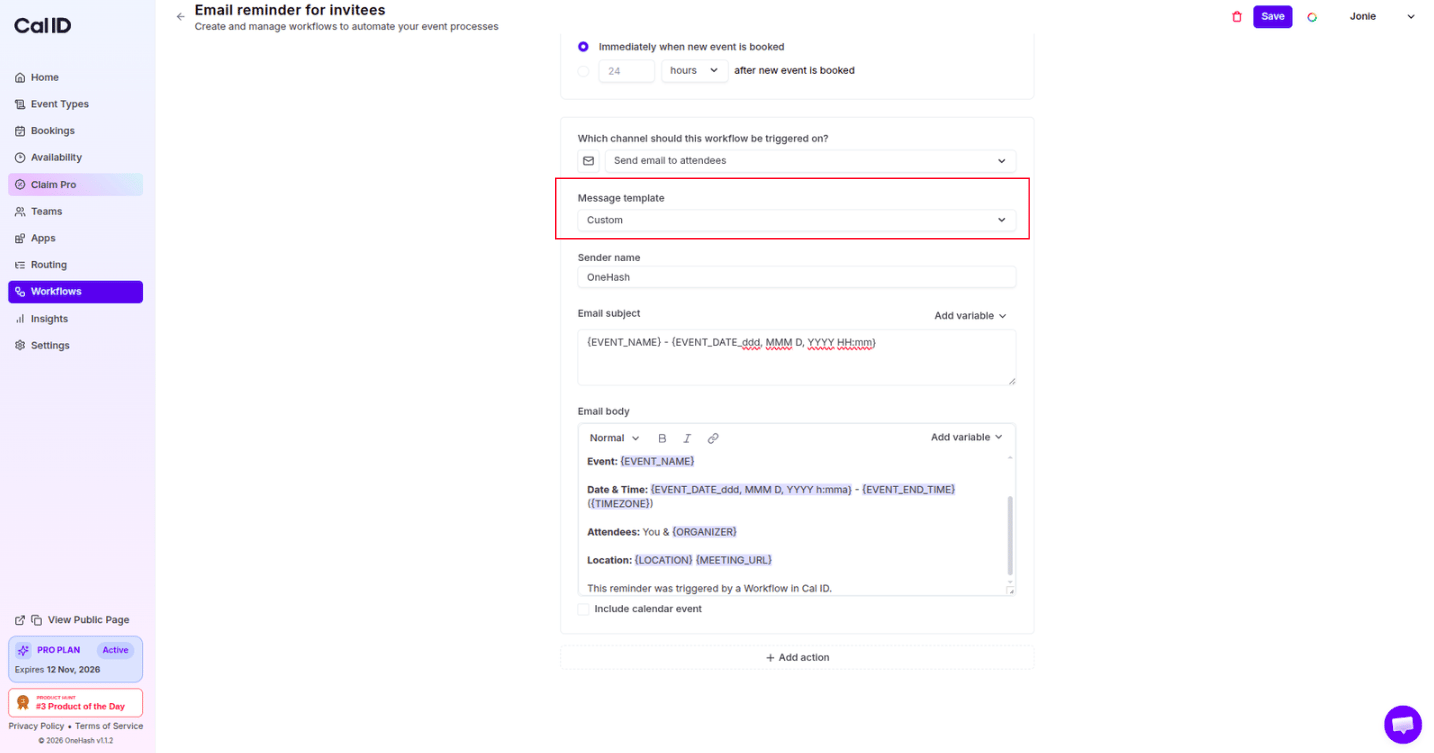
Go to the **Message template** field and select **Custom** from the dropdown. This unlocks editing for the Sender Name, Subject, and Email Body.
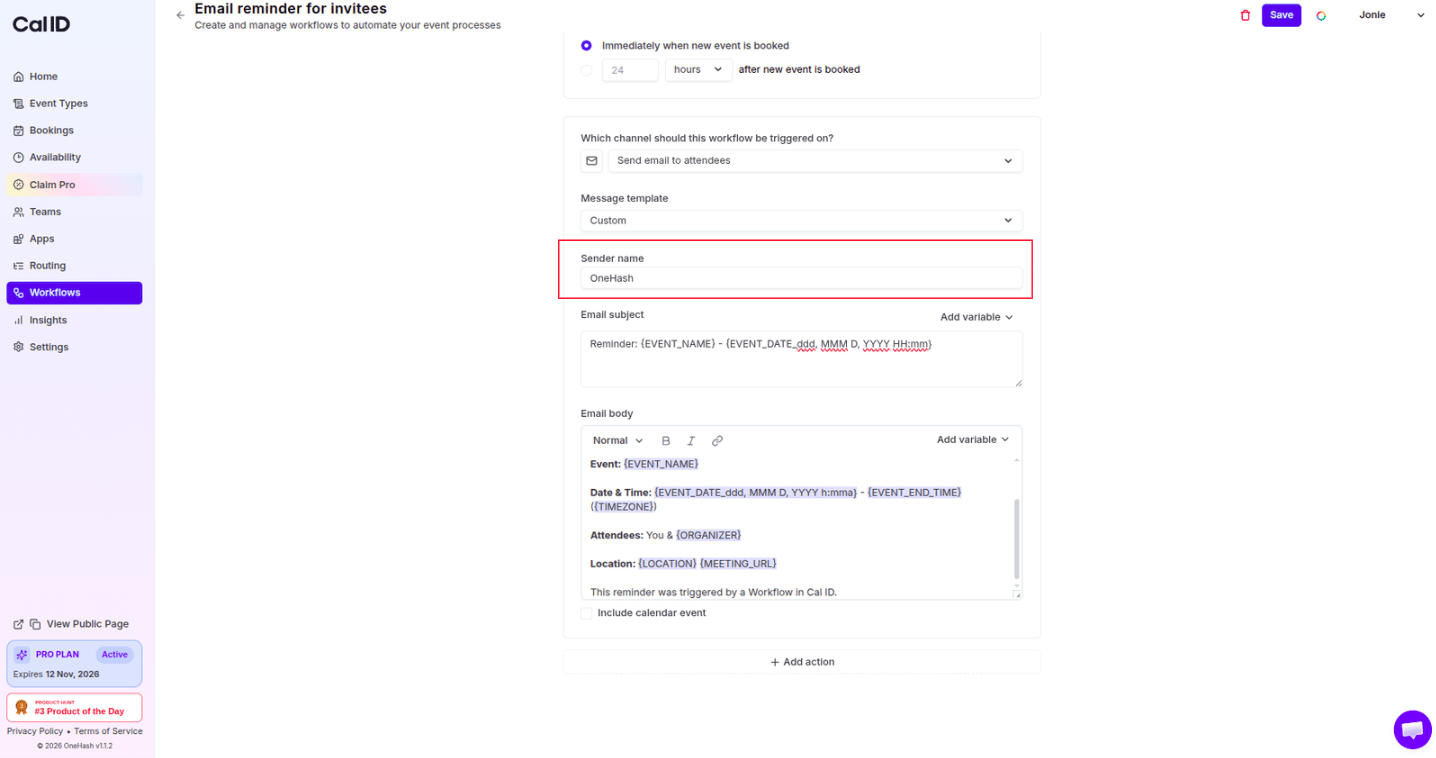
 With a custom template you aren't stuck with a generic "Cal ID" name. Change the **Sender Name** to your own name, your company's name, or a specific department to build trust with your attendees.
 The subject line is the first thing attendees see. Write a catchy, relevant **Custom Subject** from scratch, and use the **Add variable** dropdown to drop in values like the `{EVENT_NAME}` or `{ATTENDEE}` name so it stands out in a crowded inbox.
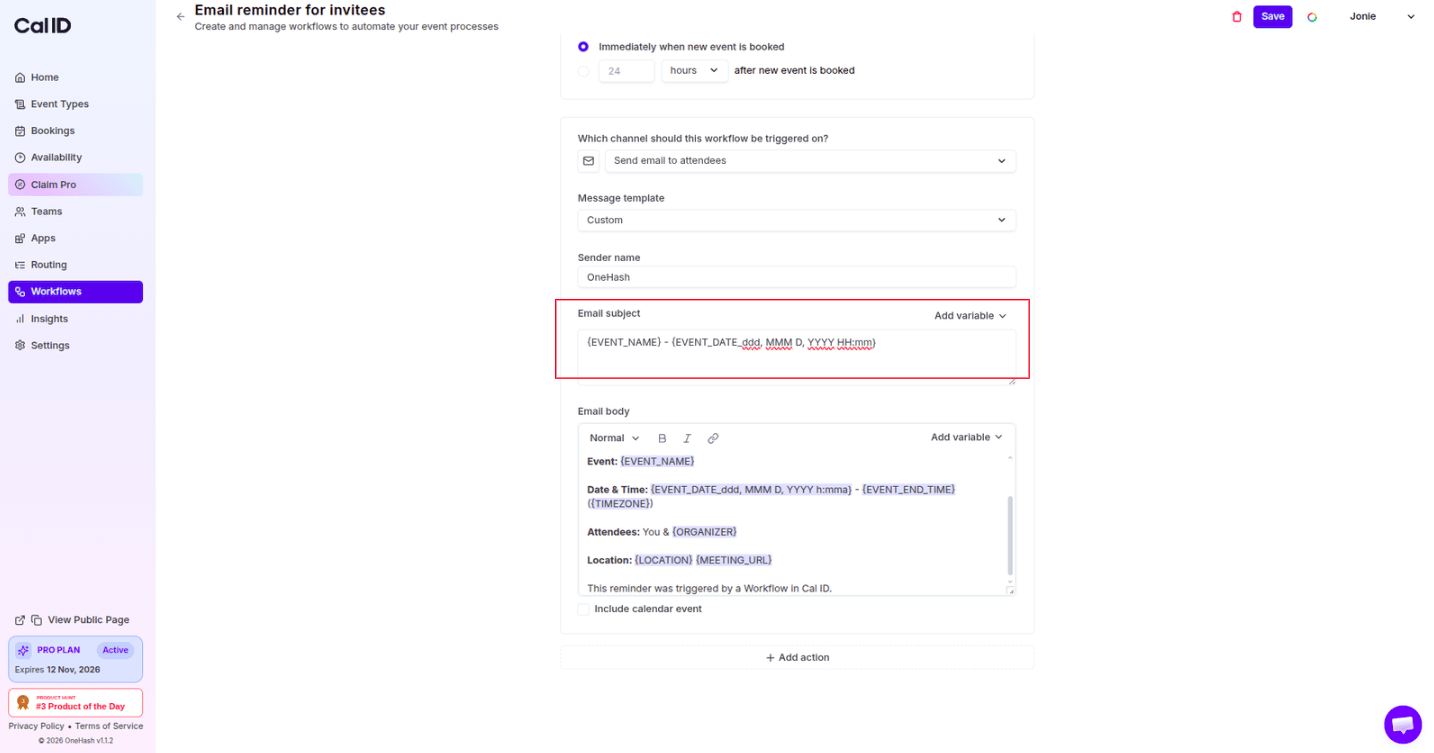 To keep every email personal and accurate, use the **Add variable** dropdown in the Subject and Email Body sections. Each token below is replaced with real booking data when the message is sent.
| Variable | Inserts |
| ----------------------- | ------------------------------------------------------ |
| `{EVENT_NAME}` | The title of the meeting |
| `{EVENT_DATE}` | The formatted date of the session |
| `{MEETING_URL}` | The link for your video call (Zoom, Google Meet, etc.) |
| `{LOCATION}` | The physical address or meeting details |
| `{ATTENDEE}` | Full name of the attendee |
| `{ATTENDEE_FIRST_NAME}` | First name of the attendee |
| `{ATTENDEE_LAST_NAME}` | Last name of the attendee |
| `{CANCEL_URL}` | URL for cancelling the meeting |
| `{ORGANIZER_NAME}` | Name of the organizer |
| `{RESCHEDULE_URL}` | URL for rescheduling the meeting |
| `{ATTENDEE_TIMEZONE}` | Timezone of the attendee |
You can't customize the template of an SMS workflow.
To customize the template for WhatsApp, first [integrate the WhatsApp Business app](/docs/workflows/whatsapp-business).
## Related topics
- [Workflows Setup to Cal ID](/docs/workflows/overview.md)
- [Integrate WhatsApp Business](/docs/workflows/whatsapp-business.md)
- [Monitoring Notification Delivery with Workflow Status](/docs/bookings/workflow-status.md)
- [Custom Event Name in Booking](/docs/event-types/advanced/custom-event-name.md)
- [Analyzing Workflow Performance in Cal ID Insights](/docs/insights/workflow-performance.md)
To keep every email personal and accurate, use the **Add variable** dropdown in the Subject and Email Body sections. Each token below is replaced with real booking data when the message is sent.
| Variable | Inserts |
| ----------------------- | ------------------------------------------------------ |
| `{EVENT_NAME}` | The title of the meeting |
| `{EVENT_DATE}` | The formatted date of the session |
| `{MEETING_URL}` | The link for your video call (Zoom, Google Meet, etc.) |
| `{LOCATION}` | The physical address or meeting details |
| `{ATTENDEE}` | Full name of the attendee |
| `{ATTENDEE_FIRST_NAME}` | First name of the attendee |
| `{ATTENDEE_LAST_NAME}` | Last name of the attendee |
| `{CANCEL_URL}` | URL for cancelling the meeting |
| `{ORGANIZER_NAME}` | Name of the organizer |
| `{RESCHEDULE_URL}` | URL for rescheduling the meeting |
| `{ATTENDEE_TIMEZONE}` | Timezone of the attendee |
You can't customize the template of an SMS workflow.
To customize the template for WhatsApp, first [integrate the WhatsApp Business app](/docs/workflows/whatsapp-business).
## Related topics
- [Workflows Setup to Cal ID](/docs/workflows/overview.md)
- [Integrate WhatsApp Business](/docs/workflows/whatsapp-business.md)
- [Monitoring Notification Delivery with Workflow Status](/docs/bookings/workflow-status.md)
- [Custom Event Name in Booking](/docs/event-types/advanced/custom-event-name.md)
- [Analyzing Workflow Performance in Cal ID Insights](/docs/insights/workflow-performance.md)