

Using dynamic group links
Traditional group scheduling requires you to set up a “Collective Event” in your dashboard first. Dynamic Group Links bypass this entirely by letting you create a collective booking link from the URL alone.How it works (the ”+” method)
To create a group link instantly, take two or more Cal ID usernames and join them with a plus (+) sign in the browser’s address bar.Combining usernames with
+ merges everyone’s calendars into one booking page. Cal ID automatically finds the times where all listed hosts are free and shows only those overlapping slots to the booker — cross-referencing everyone’s timezones and busy slots in seconds.Why use Dynamic Group Links?
- No setup required — you don’t need to log in to the dashboard or create a new event type every time you want to loop someone in.
- Perfect for ad-hoc meetings — ideal for sales calls where you need to bring in an engineer, or a doctor’s appointment that needs an assistant present.
- Global coordination — it automatically handles the cross-referencing of everyone’s timezones and busy slots.
Privacy and control
This is an opt-in feature, so you aren’t added to random group meetings without your consent.1
Open your settings
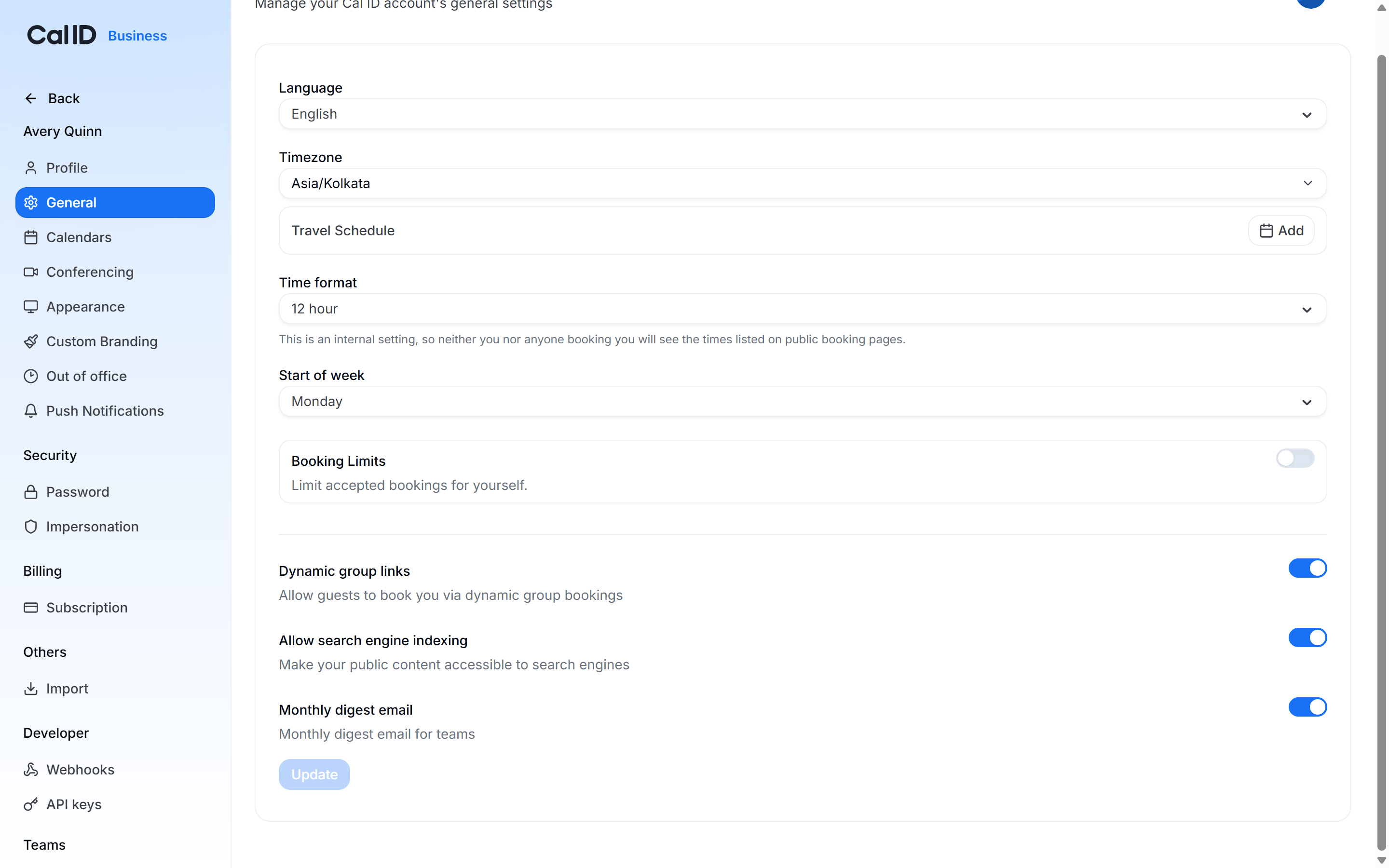
Head to Settings → General.
2
Toggle Dynamic Group Links
Find the Dynamic Group Links toggle and set it to your preference.
- ON — others can add your username to a dynamic link to include you in a booking.
- OFF — your username is blocked from dynamic links, so people can only book you via your established event types.
Deciding whether others can include you
Related group scheduling
General settings
Set your language, timezone, and travel schedule.
Group events
Set up a permanent collective event type for recurring group meetings.