

When to use a collective event
Reach for a collective event whenever the meeting is pointless unless a specific group of people is in the room:- A sales call that needs both a sales executive and a sales manager.
- A technical consultation that needs a product expert and a support engineer.
- An interview panel with several interviewers.
- A client meeting where every named team member has to attend.
Before you create a collective event
Collective availability is only as reliable as the setup behind it. Run through this checklist before you publish the booking link — most “no slots available” reports trace back to one of these items.Check your team setup
- The team exists in Cal ID.
- Every required member has been added to the team and has accepted the invitation.
- Each member can sign in to their own Cal ID account.
- Members are assigned to the right team and event type.
Check each host's calendar
- Their calendar integration is connected and active — not expired or revoked.
- The correct calendar is selected for conflict checking.
- Events on that calendar are actually being read for availability.
- Busy events are blocking the time they should block.
Check each host's schedule
- The member has an active availability schedule.
- Their working hours cover the times you expect to be bookable.
- Their time zone is correct.
Create a collective event
Open Event Types
Create a team event type
Select Collective
Pick your co-hosts
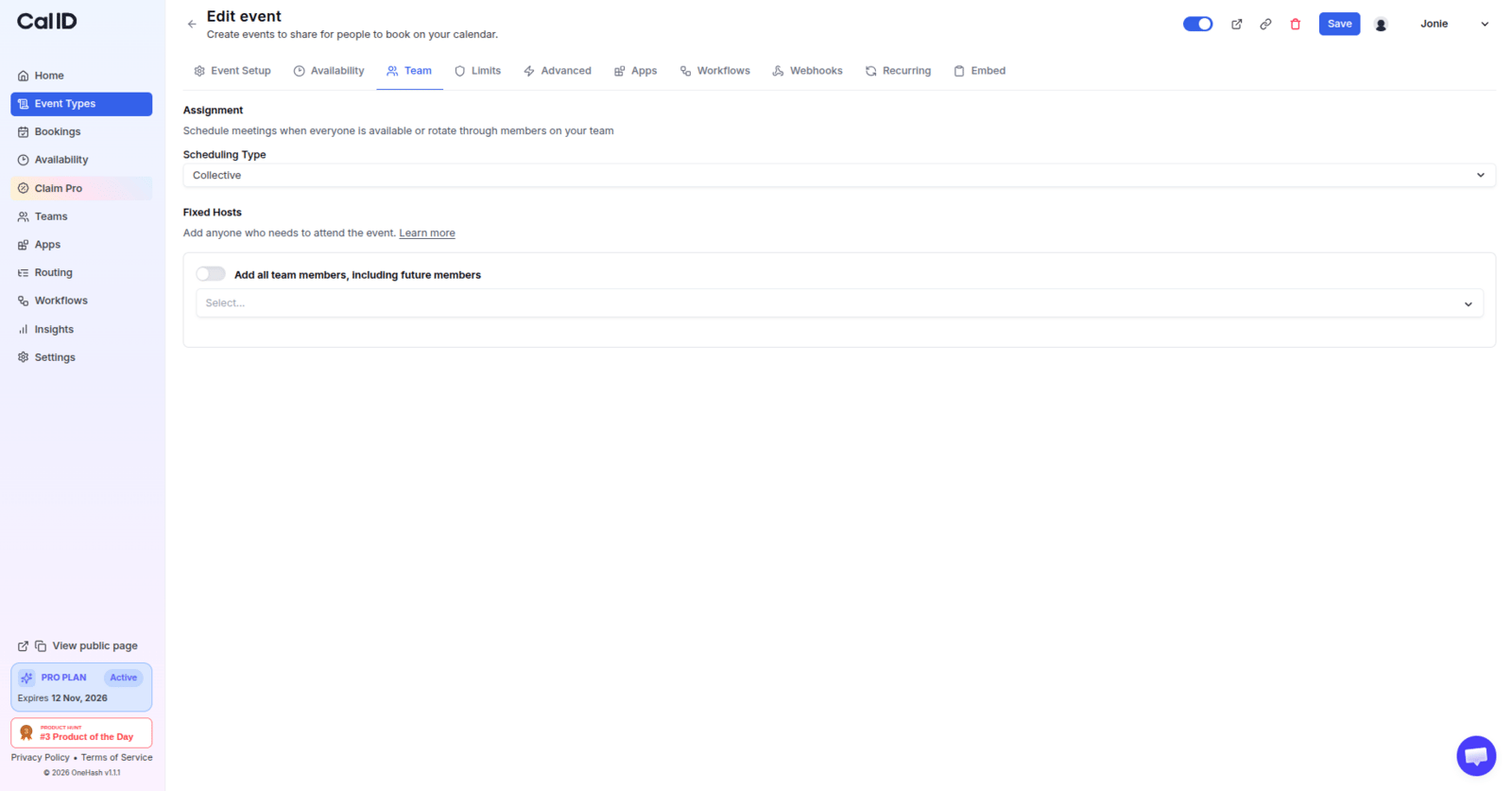
Deciding who joins every booking
Set availability (optional)
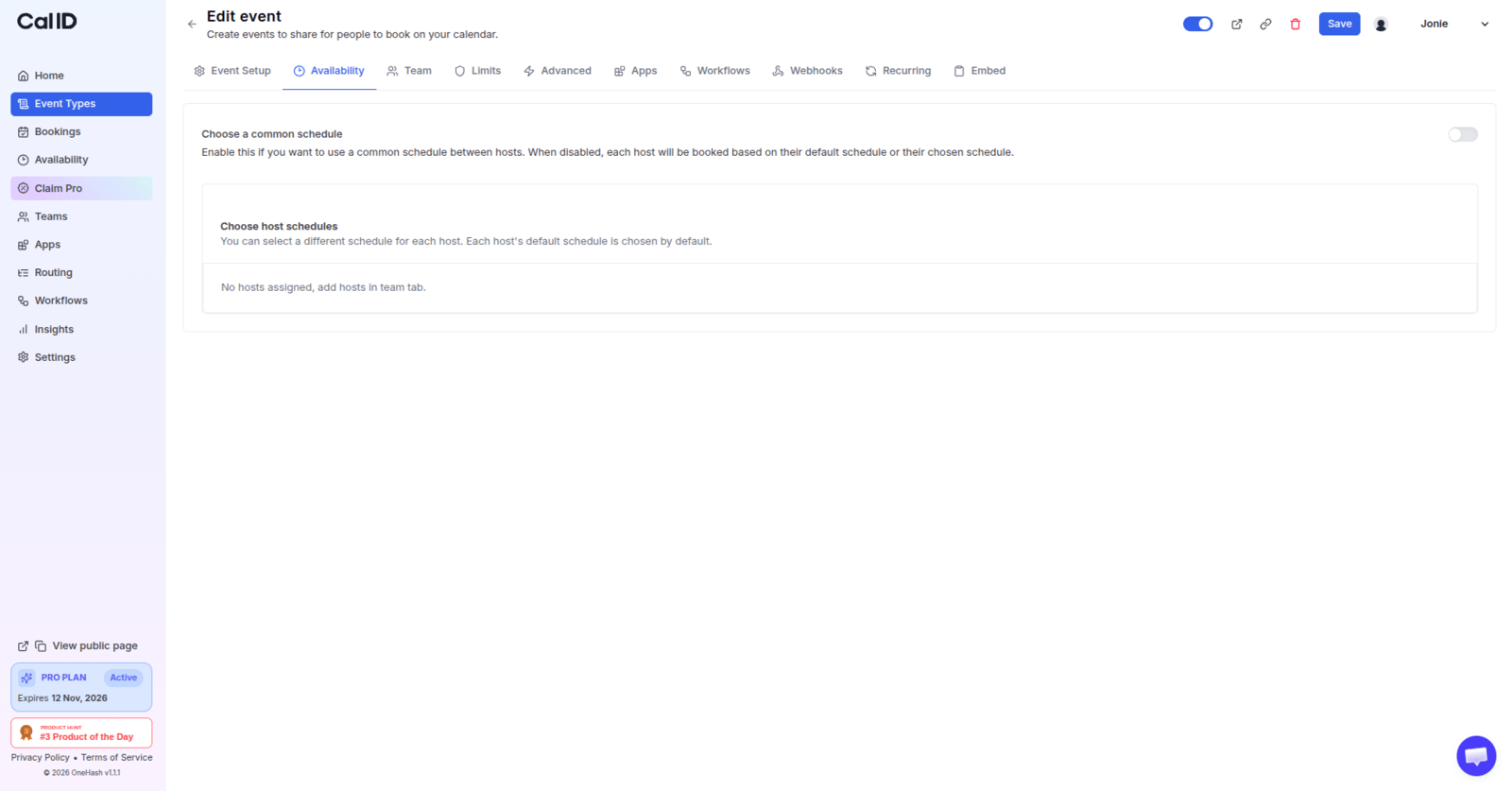
Overriding member schedules for one event
Configure the rest of the event
How collective availability is calculated
You have two ways to decide which hours a collective event can be booked in.Worked example: overlapping availability
Say a collective event has three co-hosts with these schedules:How a booker books a collective event
- The booker opens your event’s booking link.
- Cal ID shows only the slots where every co-host is free.
- The booker picks a date and time and fills in the booking questions.
- The booker confirms.
- Cal ID creates one booking with every co-host and the booker on it.
- Everyone on the booking receives the confirmation and calendar event, according to your calendar and workflow settings.
Why no slots are available
If your booking page shows “No slots available”, work through these checks in order. The first two account for most cases.1. Are all the required hosts assigned?
1. Are all the required hosts assigned?
- Open the collective event type.
- Go to the Team tab.
- Confirm every required host is assigned, and remove anyone who should not be.
- Save, then reload the booking page.
2. Is every assigned host licensed?
2. Is every assigned host licensed?
3. Do the hosts' schedules actually overlap?
3. Do the hosts' schedules actually overlap?
- Member A: 9:00 AM – 5:00 PM
- Member B: 2:00 PM – 4:00 PM
- Member C: 10:00 AM – 1:00 PM
4. Is a host's calendar blocking the slot?
4. Is a host's calendar blocking the slot?
- Ask the host to open their connected calendar.
- Look for an event covering the missing time.
- Check whether that event is marked Busy rather than Free.
- Reschedule or free up the event if appropriate.
- Reload the booking page.
5. Is every calendar connected correctly?
5. Is every calendar connected correctly?
- Go to Settings → Calendars at https://cal.id/settings/my-account/calendars.
- Check that the integration is still active.
- Reconnect the calendar if it has been disconnected.
- Confirm the correct calendar is selected for conflict checking.
6. Is the event duration longer than the free gap?
6. Is the event duration longer than the free gap?
7. Are buffers, notice, or limits hiding slots?
7. Are buffers, notice, or limits hiding slots?
- Buffer before and after the event.
- Minimum booking notice.
- How far into the future bookings are allowed.
- Booking limits on the event type.
- User-level booking limits on any co-host.
8. Are you looking at the right time zone?
8. Are you looking at the right time zone?
Common collective event issues and solutions
Only a few slots are showing
Only a few slots are showing
A slot is offered even though a co-host is busy
A slot is offered even though a co-host is busy
- Confirm the member is listed on the event type’s Team tab.
- Check their calendar integration is active.
- Verify which calendars are selected for conflict checking — a conflict on an unselected calendar is invisible to Cal ID.
- Reconnect the calendar if needed, then test again.
A team member is not receiving the calendar invite
A team member is not receiving the calendar invite
- Confirm the member is assigned to the collective event type.
- Check that their Cal ID account uses the correct email address.
- Verify their calendar integration is connected.
- Check the calendar itself — the event may have arrived without an email.
- Ask them to check spam, updates, and filtered mail.
The booker did not receive the meeting
The booker did not receive the meeting
- Confirm the booking was actually created — check Bookings.
- Check the email address captured on the booking for typos.
- Open the booking and review the confirmation that was sent.
- Ask the booker to check their spam and updates folders.
- Confirm the calendar invitation was included in the confirmation.
The wrong host is showing on the event
The wrong host is showing on the event
- Open the collective event type and go to the Team tab.
- Review the selected hosts.
- Remove anyone added by mistake and add the correct members.
- Save your changes.
- Create a test booking to confirm the right hosts appear.