

Before you start
- The booking has to belong to a round-robin team event, where meetings are shared automatically among available members.
- The teammate taking over must already be an assigned host on that event type.
- The meeting time does not move during a reassignment. If the time also needs to change, reschedule the booking after the handoff.
Open the reassign dialog
1
Open Bookings
Click Bookings in the left sidebar.
2
Find the team booking
Locate the meeting under Bookings → Upcoming.
3
Open the actions menu
Click the three dots (…) at the right of the booking row.
4
Click Reassign
Choose Reassign from the menu to open the Reassign round robin host dialog.
Choose how to reassign
The dialog offers two methods.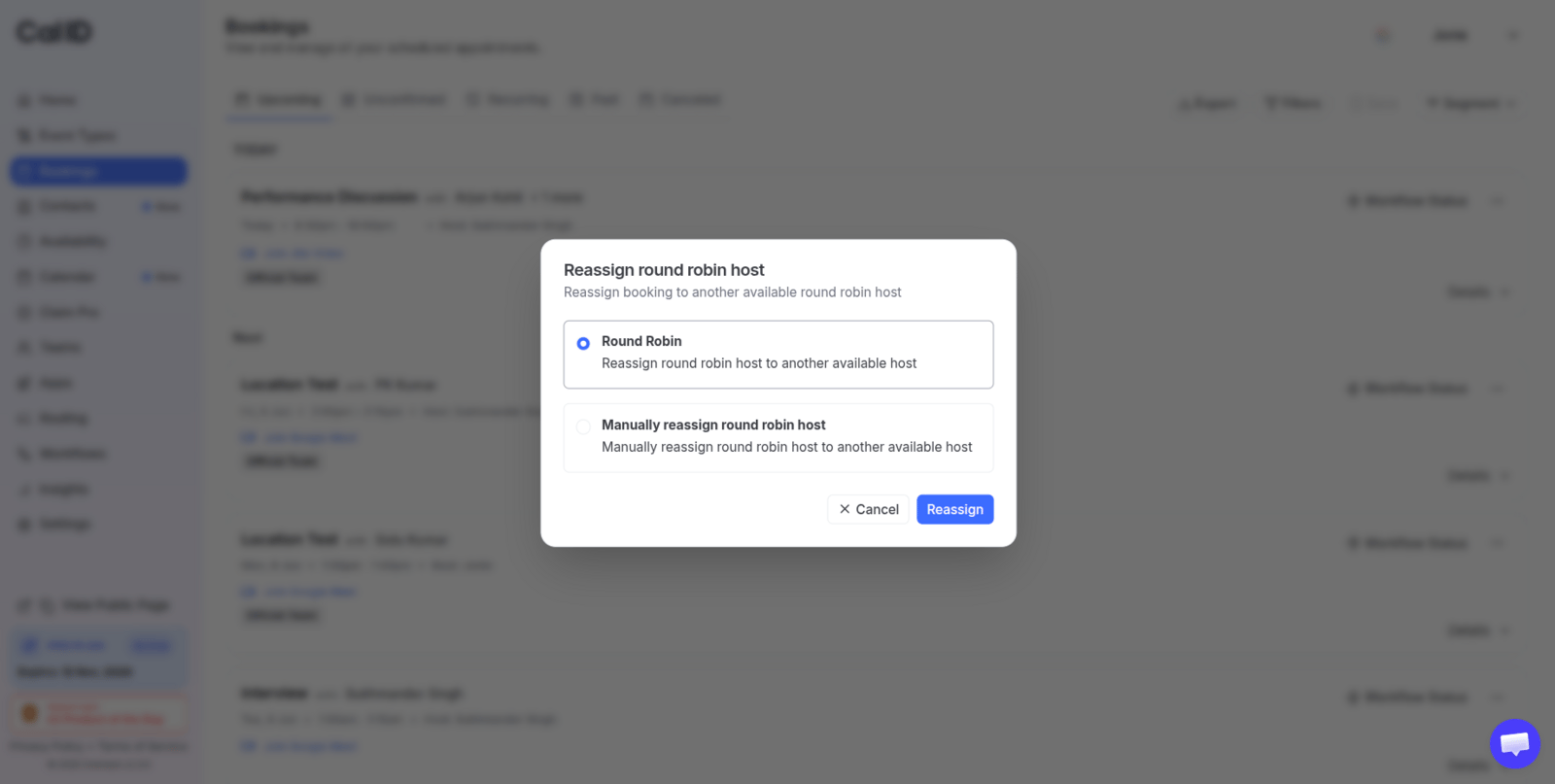
Letting the rotation decide, or deciding yourself
Automatic redistribution
Select Round Robin. Cal ID checks who among the event’s other assigned hosts is free at that time and moves the booking to them.Manual reassignment
Select Manually reassign round robin host, then use the Select team member search to pick the teammate who will take over.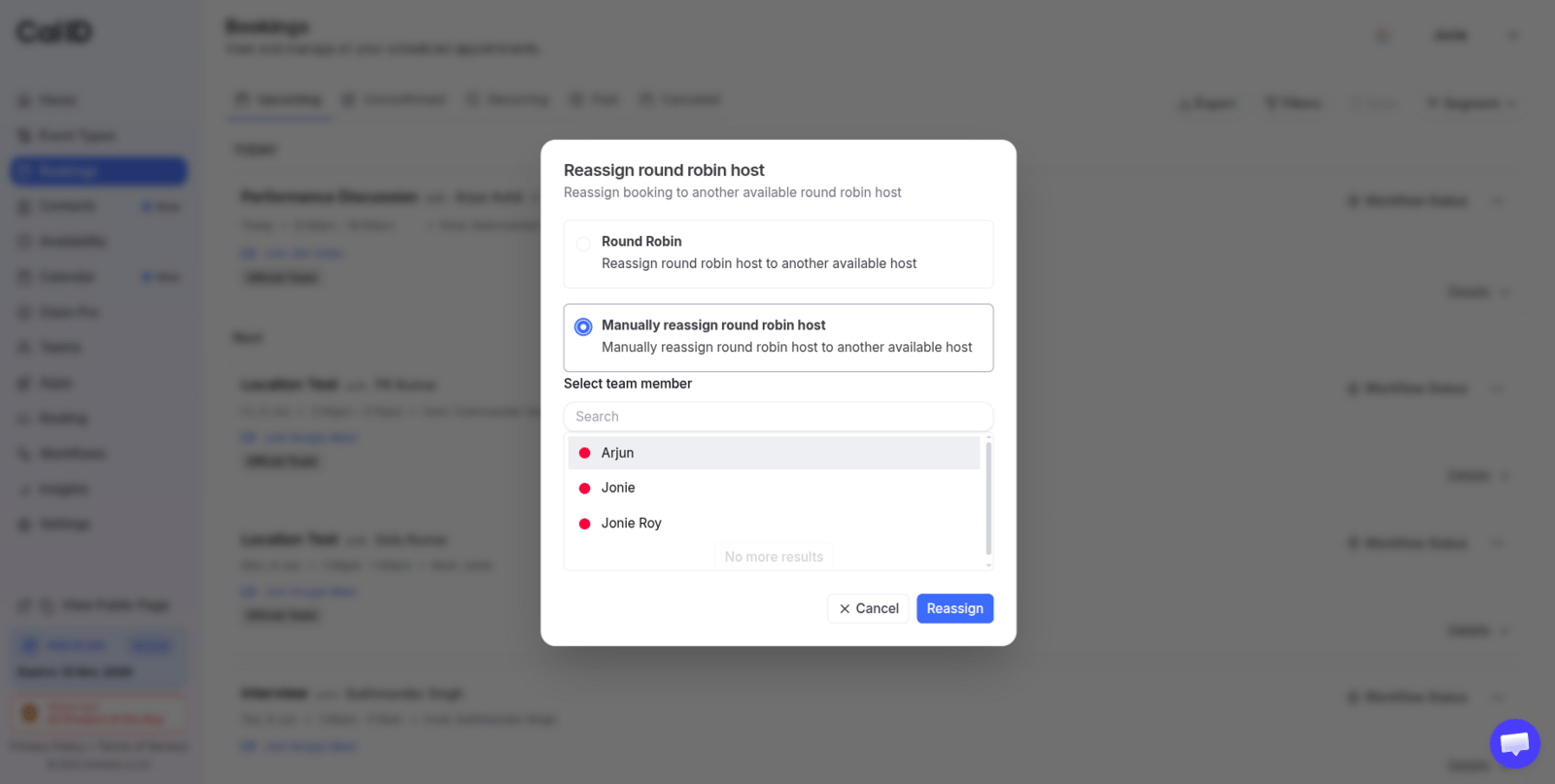
Naming the colleague who takes over
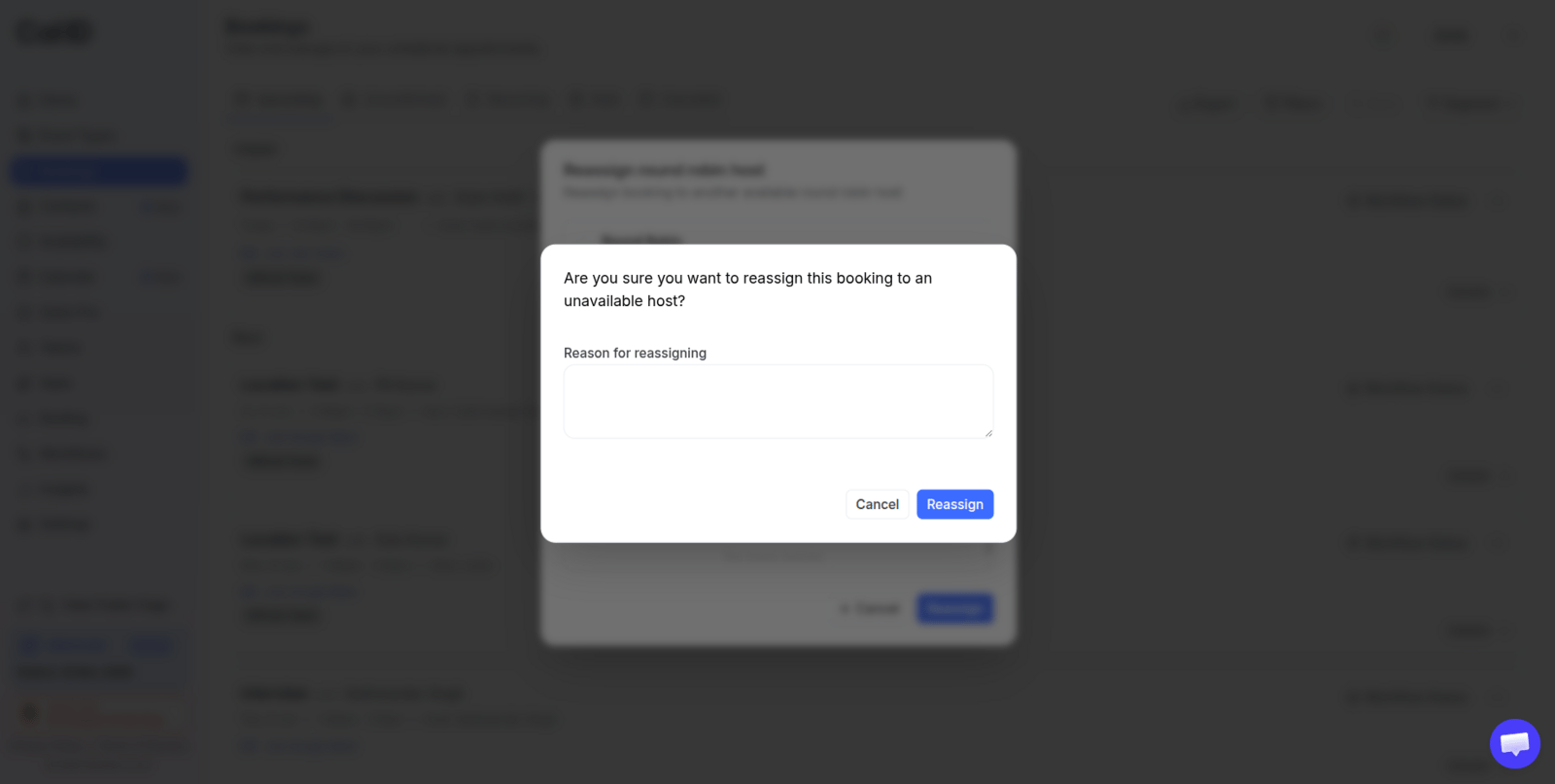
Explaining the handoff in the notifications
Complete the handoff
Click the blue Reassign button. Cal ID sends the updates straight away:- The previous host is told the slot has been removed from their calendar.
- The new host receives the meeting notes, links, and details.
- The attendee’s calendar updates on its own — no rebooking on their side.
If no other assigned host is free at that time, automatic redistribution has nobody to hand the meeting to. Reassign manually to a specific teammate, or reschedule the booking to a slot that works.
Related team booking tasks
Round-robin events
Set up the rotation, assign hosts, and control how meetings are distributed.
Cancel or reschedule a booking
Move the meeting to a new time, or call it off entirely.
View booking details
Check who currently hosts a booking and what the attendee received.
Team overview
Review members, roles, and which event types they host.